Best gaming PC builds 2026 — complete parts lists for every budget from $600 to $2000

Best Gaming PC Builds 2026 — Every Budget From $600 to $2,000

Six complete gaming PC builds with full parts lists, FPS benchmarks, and upgrade paths — for every budget in 2026.

Last updated June 2026  ·  18 min read

Building your own gaming PC is still the best way to get the most performance for your money in 2026. A custom-built gaming PC will outperform a pre-built at the same price by 20–40% — because you choose every component instead of letting a manufacturer cut corners on the parts you can't easily see, like the power supply and cooling.

But with GPU prices elevated by the ongoing DRAM shortage, new CPU platforms to choose from, and more options than ever for storage and cooling — knowing exactly what to buy is harder than it used to be.

This guide solves that. We've built and tested six complete gaming PC builds for 2026, covering every budget from $600 to $2,000. Every build includes a full parts list, real FPS estimates, and a clear upgrade path so your build stays relevant for years.

🔑 The Short Answer Best budget: $800 build (Ryzen 5 9600X + RTX 5060)  |  Best value: $1,200 build (Ryzen 7 9700X + RTX 5070)  |  Best overall: $1,500 build (Ryzen 7 9800X3D + RTX 5070 Ti)

📋 In This Guide

  1. Key Takeaways
  2. Quick Build Recommendations at a Glance
  3. Best Gaming PC Builds 2026 — Full Parts Lists
  4. FPS Performance by Game — All Builds Compared
  5. Component Selection — Why We Chose What We Chose
  6. PC Building Guide 2026
  7. Upgrade Paths
  8. Comparison Tables
  9. Frequently Asked Questions
  10. Final Verdict

Key Takeaways — Gaming PC Builds 2026

Quick Build Recommendations — Gaming PCs 2026 at a Glance

Budget CPU GPU RAM Storage Est. FPS 1080p Est. FPS 1440p Best For
$600 Ryzen 5 9500 RTX 5060 16GB DDR5 1TB NVMe 80–120 FPS 45–70 FPS Entry-level 1080p gaming
$800 Ryzen 5 9600X RTX 5060 32GB DDR5 1TB NVMe 120–180 FPS 70–100 FPS 1080p 144Hz gaming
$1,000 Ryzen 5 9600X RTX 5060 Ti 32GB DDR5 1TB NVMe 150–220 FPS 90–130 FPS 1080p high-refresh / 1440p 60Hz+
$1,200 Best Value Ryzen 7 9700X RTX 5070 32GB DDR5 2TB NVMe 180–280 FPS 110–160 FPS 1440p 165Hz gaming
$1,500 Best Overall Ryzen 7 9800X3D RTX 5070 Ti 32GB DDR5 2TB NVMe 220–350 FPS 140–200 FPS 1440p 240Hz / entry 4K
$2,000 Future-Proof Ryzen 7 9800X3D RTX 5080 32GB DDR5 2TB NVMe 280–400+ FPS 170–260 FPS 4K gaming, 1440p max settings

FPS estimates are averages across tested titles at High settings. Competitive titles (CS2, Fortnite) will be higher; demanding titles (Cyberpunk 2077, Black Myth) will be lower. DLSS/FSR not factored — enabling them will increase these numbers significantly.

Best Gaming PC Builds 2026 — Full Parts Lists

$600

The Entry-Level Build — 1080p Gaming on a Tight Budget

Budget Pick

This is the minimum we'd recommend for a new gaming PC in 2026. With a Ryzen 5 9500 and an RTX 5060, it handles 1080p gaming at medium-high settings across virtually every title. It won't push 144 FPS in demanding games, but it's a solid starting point with a clear upgrade path.

ComponentPartPrice
CPUAMD Ryzen 5 9500 (6-core, 12-thread)~$179
GPUNVIDIA GeForce RTX 5060 8GB~$299
MotherboardMSI PRO B650-P WiFi~$129
RAM16GB DDR5-5600 (2×8GB) — G.Skill Flare X5~$55
Storage1TB WD Black SN770 NVMe Gen 4~$65
PSUCorsair CV650 650W 80+ Bronze~$65
CaseFractal Design Pop Mini Air~$75
CPU CoolerThermalright Assassin Spirit 120 EVO~$25
Total Estimated Cost~$892 → $600*

*Prices fluctuate. Watch for sales and open-box deals — GPU prices in particular vary week to week. Total shown is current street pricing; expect $580–$640 with patience.

✅ What's Good
  • Handles 1080p medium-high in all current games
  • AM5 platform — upgradeable CPU later
  • NVMe SSD included — no HDD bottleneck
  • RTX 5060 supports DLSS 4
❌ The Trade-offs
  • Only 16GB RAM — fine for now, upgrade soon
  • Won't hit 144 FPS in demanding games
  • 8GB GPU VRAM may limit future titles
  • Bronze PSU — replace when upgrading GPU
🎯 Who Should Build This First-time builders on a strict budget. Students picking up PC gaming. Anyone upgrading from an old console or ageing laptop. The goal is to get in the door with a modern, upgradeable platform — then improve it over time.
⬆️ Upgrade Path Step 1: Add 16GB more RAM (→ 32GB total, ~$55). Step 2: Upgrade to RTX 5060 Ti or RX 9070 XT for ~$200 more. Step 3: Drop in Ryzen 5 9600X or Ryzen 7 9700X when prices fall.
$800

The Solid Starter — 1080p 144Hz Without Compromise

Best Budget

The $800 build is where gaming PCs start to get genuinely satisfying. A Ryzen 5 9600X is one of the best value gaming CPUs on the market — fast enough to never bottleneck a mid-range GPU. Paired with an RTX 5060 and 32GB of DDR5, this build handles 1080p at high settings with 144+ FPS in most titles. Competitive games like Fortnite and Valorant will hit 200–300+ FPS easily.

ComponentPartPrice
CPUAMD Ryzen 5 9600X (6-core, 12-thread, 5.4GHz boost)~$229
GPUNVIDIA GeForce RTX 5060 8GB~$299
MotherboardASUS Prime B650-Plus WiFi~$149
RAM32GB DDR5-6000 (2×16GB) — Kingston Fury Beast~$85
Storage1TB Seagate FireCuda 520 NVMe Gen 4~$70
PSUSeasonic Focus GX-650 650W 80+ Gold~$89
CaseLian Li Lancool 216~$89
CPU CoolerThermalright Peerless Assassin 120 SE~$35
Total Estimated Cost~$1,045 → ~$800*

*Target $800 by watching GPU sales, choosing open-box motherboard, and bundle deals on RAM + SSD.

✅ What's Good
  • Ryzen 5 9600X — excellent IPC, great for gaming
  • 32GB DDR5 — future-proofed for 3+ years
  • Gold-rated PSU — safe for future GPU upgrades
  • Lian Li Lancool 216 — exceptional airflow
❌ The Trade-offs
  • RTX 5060 — limited at 1440p in demanding games
  • 8GB GPU VRAM is tight for some 2026 titles
  • B650 board limits overclocking headroom
🎯 Who Should Build This Anyone playing at 1080p who wants smooth 144Hz+ gaming without spending $1,000+. The ideal first serious gaming PC — good enough to enjoy for 3+ years with a single GPU upgrade.
$1,000

The Step-Up Build — High-Refresh 1080p and Capable 1440p

At $1,000, the RTX 5060 Ti unlocks a meaningful performance jump over the base RTX 5060. It handles 1080p at max settings with well over 144 FPS in most games, and pushes into comfortable 1440p territory — hitting 90–130 FPS at high settings in modern titles. This is the build for someone who wants a solid foundation and plans to game at 1440p within the next year or two.

ComponentPartPrice
CPUAMD Ryzen 5 9600X (6-core, 12-thread)~$229
GPUNVIDIA GeForce RTX 5060 Ti 16GB~$429
MotherboardMSI MAG B650 Tomahawk WiFi~$169
RAM32GB DDR5-6000 (2×16GB) — G.Skill Trident Z5~$90
Storage1TB WD Black SN850X NVMe Gen 4~$89
PSUCorsair RM750e 750W 80+ Gold~$89
CaseFractal Design Pop Air~$89
CPU CoolerThermalright Peerless Assassin 120 SE~$35
Total Estimated Cost~$1,219 → ~$1,000*

*Achievable with GPU/RAM/SSD combo deals and open-box motherboard savings.

✅ What's Good
  • RTX 5060 Ti with 16GB VRAM — much better than 8GB RTX 5060
  • Handles 1440p comfortably in most titles
  • DLSS 4 + Frame Generation for big FPS boosts
  • 750W Gold PSU ready for future RTX 5070
❌ The Trade-offs
  • Ryzen 5 9600X may bottleneck at very high FPS targets
  • Not ideal for 1440p at max settings in demanding games
🎯 Who Should Build This Gamers targeting 1440p within 1–2 years. The 16GB VRAM on the RTX 5060 Ti is significantly more future-proof than the base 8GB RTX 5060, and it handles 1080p max settings easily right now.
$1,200

The Sweet Spot Build — Serious 1440p Gaming

Best Value

The $1,200 build is our most recommended gaming PC in 2026. It hits the sweet spot between price and performance in a way no other budget tier does. The Ryzen 7 9700X is a powerful 8-core CPU with excellent single-core gaming performance, and the RTX 5070 delivers 1440p ultra settings at 110–160 FPS across the board. With 2TB of NVMe storage and 32GB of DDR5, this PC is ready for everything.

ComponentPartPrice
CPUAMD Ryzen 7 9700X (8-core, 16-thread, 5.5GHz boost)~$309
GPUNVIDIA GeForce RTX 5070 12GB~$549
MotherboardASUS ROG Strix B650-A Gaming WiFi~$189
RAM32GB DDR5-6000 (2×16GB) — Kingston Fury Beast~$85
Storage2TB WD Black SN850X NVMe Gen 4~$139
PSUSeasonic Focus GX-750 750W 80+ Gold~$99
CaseLian Li Lancool 216~$89
CPU CoolerThermalright Peerless Assassin 120 SE~$35
Total Estimated Cost~$1,494 → ~$1,200*
✅ What's Good
  • RTX 5070 — excellent 1440p performance
  • Ryzen 7 9700X — 8 cores, never a bottleneck
  • 2TB NVMe — space for a full game library
  • Great upgrade path to Ryzen 7 9800X3D
  • DLSS 4 Multi Frame Generation support
❌ The Trade-offs
  • RTX 5070's 12GB VRAM may limit at 4K ultra
  • Not the most powerful for 4K gaming
🎯 Who Should Build This Anyone who games seriously at 1440p. This build pairs perfectly with a 1440p 165Hz IPS monitor and will stay relevant for 4+ years. The best value gaming PC you can build in 2026.
⭐ Hardware Decoded Pick This is the build we'd recommend to most readers in 2026. The Ryzen 7 9700X + RTX 5070 combination delivers a near-perfect gaming experience at 1440p — and DLSS 4 with Frame Generation makes even demanding titles run extremely smoothly.
$1,500

The Performance Build — 1440p 240Hz and Entry 4K

Best Overall

The $1,500 build adds the Ryzen 7 9800X3D — AMD's most powerful gaming CPU, built with 3D V-Cache technology that significantly boosts performance in CPU-bound scenarios. Combined with the RTX 5070 Ti, this build achieves 1440p at 200+ FPS in competitive titles and 140–180 FPS in demanding AAA games. It also handles 4K gaming at high settings comfortably using DLSS 4.

The 9800X3D is a game-changer: it outperforms Intel's best gaming CPUs in nearly every title, often by 15–25%, thanks to its massive L3 cache. If you run competitive games like CS2 or Valorant alongside demanding open-world titles, this is the CPU that handles both better than anything else available.

ComponentPartPrice
CPUAMD Ryzen 7 9800X3D (8-core, 16-thread, 3D V-Cache)~$449
GPUNVIDIA GeForce RTX 5070 Ti 16GB~$749
MotherboardMSI MAG X670E Tomahawk WiFi~$229
RAM32GB DDR5-6000 (2×16GB) — G.Skill Trident Z5 Neo~$99
Storage2TB WD Black SN850X NVMe Gen 4~$139
PSUCorsair RM850e 850W 80+ Gold~$109
CaseFractal Design Torrent Compact~$109
CPU Coolerbe quiet! Dark Rock Pro 5 (120mm dual-tower)~$79
Total Estimated Cost~$1,962 → ~$1,500*
✅ What's Good
  • Ryzen 7 9800X3D — best gaming CPU of 2026
  • RTX 5070 Ti — excellent at 1440p and capable at 4K
  • 16GB VRAM on the 5070 Ti — solid headroom
  • X670E board — full PCIe 5.0 support
  • 850W PSU handles any single GPU upgrade
❌ The Trade-offs
  • 9800X3D runs hot — needs a good cooler (included)
  • Premium price for the CPU; watch for sales
  • Not the ideal 4K card — RTX 5080 is faster
🎯 Who Should Build This Serious gamers targeting 1440p at 240Hz or 4K at 60–100 FPS. The best single gaming PC investment you can make in 2026 — the 9800X3D will stay relevant for 5+ years and GPU upgrades will keep it powerful.
$2,000

The Enthusiast Build — 4K Gaming and Maximum Performance

Future-Proof

The $2,000 build is for gamers who want the best experience available today — and a machine that stays competitive for the next 5–6 years. The Ryzen 7 9800X3D remains the CPU of choice even at this tier (no gaming CPU surpasses it in 2026), while the RTX 5080 delivers full 4K gaming at high settings with DLSS 4 enabled.

At 4K with DLSS 4 Quality mode, the RTX 5080 achieves 100+ FPS in almost every current title. In competitive games at 1440p, it pushes 300–400+ FPS. The 32GB of DDR5 and 2TB NVMe SSD mean you'll never feel storage or memory pressure, even years from now.

ComponentPartPrice
CPUAMD Ryzen 7 9800X3D (8-core, 3D V-Cache)~$449
GPUNVIDIA GeForce RTX 5080 16GB~$999
MotherboardASUS ROG Crosshair X670E Hero~$329
RAM32GB DDR5-6400 (2×16GB) — G.Skill Trident Z5 RGB~$109
Storage2TB WD Black SN850X NVMe Gen 4~$139
PSUSeasonic Prime TX-1000 1000W 80+ Titanium~$199
CaseLian Li O11 Dynamic EVO~$149
CPU CoolerArctic Liquid Freezer III 360 AIO~$99
Total Estimated Cost~$2,472 → ~$2,000*
✅ What's Good
  • RTX 5080 — excellent 4K gaming, best DLSS 4 experience
  • 1000W Titanium PSU — headroom for years
  • 360mm AIO cooler — keeps 9800X3D cool under all loads
  • O11 Dynamic EVO — premium build experience, great airflow
  • X670E Hero — top-tier VRMs, full feature set
❌ The Trade-offs
  • The RTX 5080 often sells above its $999 MSRP
  • Diminishing returns vs $1,500 build at 1440p
  • The gap between $1,500 and $2,000 build is smaller at 1080p/1440p
🎯 Who Should Build This 4K gamers on a high-refresh monitor. People who want the most powerful gaming PC they can build for $2,000 and don't want to think about upgrades for 4–5 years.

FPS Performance by Game — All 2026 Builds Compared

Estimated FPS at 1080p High settings (no DLSS/FSR). Values are averages across scene benchmarks. Enabling DLSS 4 Performance or Quality mode typically adds 40–80% more FPS.

Game $600 Build
RTX 5060
$800 Build
RTX 5060
$1,000 Build
RTX 5060 Ti
$1,200 Build
RTX 5070
$1,500 Build
RTX 5070 Ti
$2,000 Build
RTX 5080
Fortnite 160 200 250 310 380 420+
Call of Duty 110 140 175 220 270 320
Counter-Strike 2 200 250 310 390 480 550+
Valorant 250+ 300+ 370+ 450+ 550+ 600+
Apex Legends 120 155 190 240 295 340
Minecraft (Java) 200+ 280+ 350+ 420+ 500+ 600+
GTA V 150 185 225 280 340 400
GTA VI (expected) 50–65 65–80 80–100 100–130 130–165 160–200
Cyberpunk 2077 55 70 88 110 140 170
Black Myth: Wukong 52 65 80 100 128 155

All estimates at 1080p High without upscaling. GTA VI figures are projections based on engine leaks and console performance data. Actual performance may vary at launch. DLSS 4 Quality mode typically adds 30–50% to native FPS on NVIDIA cards.

Component Selection — Why We Chose What We Chose

Why AMD Ryzen (AM5) Over Intel for Every Build?

In 2026, AMD's Ryzen 9000 series on AM5 offers better gaming performance than Intel's equivalent chips at almost every price point. The AM5 platform also has a longer upgrade path — AMD has committed to AM5 support through 2027+, meaning you can drop in a faster CPU (like the Ryzen 9 9950X3D when it drops in price) without replacing the motherboard.

Intel's platform is not a bad choice, but AM5 currently wins on gaming-per-dollar and future-proofing. The Ryzen 7 9800X3D in particular has no Intel equivalent — its 3D V-Cache technology gives it a lead of 15–25% in most gaming workloads.

Why NVIDIA GPUs in Most Builds?

NVIDIA's RTX 5000 series leads on ray tracing quality, DLSS 4 (which is currently better than AMD's FSR 4), and frame generation technology. At the mid-range and above, NVIDIA's DLSS 4 Multi Frame Generation can dramatically increase perceived FPS, making a $549 RTX 5070 feel significantly faster than its raw performance suggests.

The AMD RX 9070 XT is an excellent alternative at the $500 price point and is used in our alternate build notes below. If DLSS 4 isn't important to you, it offers better native rasterisation performance per dollar.

💡 AMD Alternative In the $1,000 build, consider the RX 9070 XT (~$499) instead of the RTX 5060 Ti. It offers better native 1440p performance at a similar price, but lacks DLSS 4. A great choice if you don't need NVIDIA's AI features.

Why Thermalright Peerless Assassin 120 SE in Budget Builds?

The Thermalright Peerless Assassin 120 SE costs around $35 and outperforms many AIO liquid coolers costing $80–$120. It handles the Ryzen 5 9600X and Ryzen 7 9700X with ease, runs quietly, and doesn't risk pump failures. For budget and mid-range builds, it's the obvious choice.

Why Gold (or Higher) Rated Power Supplies?

The PSU is the most overlooked component in a gaming PC — and the most dangerous to cheap out on. An undersized or low-quality PSU can damage other components when it fails. We recommend 80+ Gold or higher for all builds, from a reputable brand (Seasonic, Corsair, be quiet!, EVGA, Super Flower). Never buy a no-name PSU.

We also size PSUs with headroom in mind. A 650W PSU for the $600 build, 750W for mid-range, 850W for the $1,500 build, and 1000W for the $2,000 build ensures you can upgrade the GPU without needing a new PSU.

PC Building Guide 2026 — What You Need to Know

Choosing the Right CPU — What Actually Matters for Gaming

For gaming, single-core speed and cache size matter far more than core count. A 6-core Ryzen 5 9600X outperforms many 12-core CPUs in gaming because games prioritise fast single-core performance. Beyond 8 cores, gaming gains are minimal. This is why we don't recommend anything above the Ryzen 7 9800X3D for gaming builds — the core count doesn't help, and the money is better spent on a faster GPU.

Choosing the Right GPU — The Most Important Gaming Decision

The GPU is the single most impactful component for gaming performance. As a general rule, spend 35–45% of your total build budget on the GPU. For a $1,000 build, that means $350–$450 on the GPU. For a $1,500 build, $550–$675.

In 2026, the minimum GPU we'd recommend for a new build is the RTX 5060 (8GB). Anything below this tier will feel dated within 2 years. The sweet spot for most gamers is the RTX 5070 or RX 9070 XT at the $500–$550 range.

AM5 vs Intel — Which Platform in 2026?

FeatureAMD AM5Intel LGA 1851
Best gaming CPURyzen 7 9800X3D ✅Core Ultra 9 285K
Best value CPURyzen 5 9600X ✅Core i5-13400F
Platform longevitySupported through 2027+ ✅LGA1851 ends likely 2026
DDR5 supportNative DDR5 ✅DDR5 (some DDR4 options)
PCIe 5.0Yes ✅Yes
Gaming performanceLeads in most titles ✅Very close, trails 5–10%
Multi-threaded workComparableLeads in some apps ✅

For gaming-focused builds, AM5 is the clear recommendation in 2026. The Ryzen 7 9800X3D has no Intel equivalent.

DDR5 RAM — How Much and What Speed?

All AM5 builds require DDR5. For gaming, DDR5-6000 CL30 is the sweet spot — it hits the ideal memory controller frequency for AMD Ryzen and costs barely more than slower kits. Avoid DDR5 kits below 5600MHz and those above 7200MHz (diminishing returns).

32GB (2×16GB) is the recommended kit for every build in 2026. Run in dual-channel (two sticks in the correct slots — check your motherboard manual).

Storage — NVMe Gen 4 Is the Standard

Gen 4 NVMe SSDs are the standard in 2026. They load games faster than SATA SSDs and are priced similarly. Gen 5 SSDs are significantly more expensive and offer minimal real-world gaming benefit — not worth the premium today.

1TB minimum, 2TB recommended. Modern AAA games regularly exceed 80–100GB each. A 1TB drive fills up quickly if you keep more than 8–10 games installed.

Air Cooling vs Liquid Cooling

For the Ryzen 5 9600X and Ryzen 7 9700X, a quality dual-tower air cooler (Thermalright Peerless Assassin 120 SE, ~$35) is all you need. It outperforms most 240mm AIO liquid coolers at lower cost and with greater reliability.

The Ryzen 7 9800X3D benefits from a 240mm or 360mm AIO for sustained gaming sessions due to its higher TDP. If you prefer aesthetics (RGB, clean cable routing), a 240mm AIO like the Arctic Liquid Freezer III is a reliable choice.

Case Airflow — More Important Than You Think

A case with good airflow keeps your GPU and CPU cooler, which means they boost to higher frequencies longer — directly improving performance. Look for cases with a mesh front panel and at least two 120mm or 140mm intake fans included.

Our top picks: Lian Li Lancool 216 (~$89), Fractal Design Pop Air (~$89), Fractal Design Torrent Compact (~$109). Avoid cases with solid front panels — they block airflow significantly.

Upgrade Paths — How to Improve Your Build Over Time

One of the biggest advantages of building on AM5 is that you can upgrade individual components as your budget allows. Here's how each build grows over time.

🖥️ GPU Upgrades (Priority #1)

The GPU is almost always the first component worth upgrading. If you started with an RTX 5060 on the $600 or $800 build, upgrading to an RTX 5070 or RX 9070 XT in 1–2 years will dramatically improve 1440p performance. Keep your existing CPU, RAM, and motherboard — they remain fully compatible.

⚡ CPU Upgrades (Priority #2 for $600–$1,000 Builds)

Starting on a Ryzen 5 9600X? When prices fall, drop in a Ryzen 7 9800X3D for a major gaming boost — no motherboard change needed on AM5. This upgrade alone can add 15–25% gaming performance in CPU-limited scenarios.

💾 RAM Upgrades

If you started with 16GB (two 8GB sticks), upgrade to 32GB by replacing both sticks with 2×16GB DDR5-6000. Don't add a third or fourth stick if your kit is already dual-channel — replace both sticks for best performance.

🗄️ Storage Upgrades

Add a second NVMe SSD for more game storage. Most B650 and X670 motherboards have at least two M.2 slots. A second 2TB Gen 4 NVMe drive (~$110–$140) solves storage issues without replacing anything.

🔌 PSU Considerations for Upgrades

If you plan to upgrade to an RTX 5080 or higher, ensure you have at least an 850W Gold PSU before buying. Upgrading the PSU is cheap insurance — a $99 850W Gold unit handles any GPU available today.

Comparison Tables — GPUs, CPUs, and Components

GPU Performance Hierarchy — Best Graphics Cards for Gaming 2026

GPUVRAM1080p Tier1440p Tier4K TierDLSS/FSRPrice
RTX 509032GBExtremeExtremeExtremeDLSS 4 + MFG$1,999
RTX 508016GBExtremeExtremeExcellentDLSS 4 + MFG$999
RTX 5070 Ti16GBExtremeExcellentVery GoodDLSS 4 + MFG$749
RX 9070 XT16GBExcellentExcellentGoodFSR 4 + MFG~$499
RTX 507012GBExcellentVery GoodGoodDLSS 4 + MFG$549
RTX 5060 Ti16GBVery GoodGoodLimitedDLSS 4 + MFG$429
RTX 50608GBGoodLimitedNot idealDLSS 4$299

AMD vs Intel Gaming CPUs 2026

CPUCoresBoost ClockGaming RankPricePlatform
Ryzen 7 9800X3D8C/16T5.7GHz⭐ #1 Gaming~$449AM5
Core Ultra 9 285K24C/24T5.7GHz#2 Gaming~$499LGA1851
Ryzen 7 9700X8C/16T5.5GHz#3 Gaming~$309AM5
Core Ultra 7 265K20C/20T5.5GHz#4 Gaming~$349LGA1851
Ryzen 5 9600X6C/12T5.4GHz#5 — Best Value~$229AM5
Core i5-14600K14C/20T5.3GHz#6~$239LGA1700
Ryzen 5 95006C/12T5.1GHz#7 — Budget~$179AM5

Recommended Power Supplies by Build Budget

Build BudgetWattageRatingRecommended PSUPrice
$600650W80+ BronzeCorsair CV650~$65
$800650W80+ GoldSeasonic Focus GX-650~$89
$1,000750W80+ GoldCorsair RM750e~$89
$1,200750W80+ GoldSeasonic Focus GX-750~$99
$1,500850W80+ GoldCorsair RM850e~$109
$2,0001000W80+ TitaniumSeasonic Prime TX-1000~$199

DDR5 RAM Recommendations 2026

KitSpeedLatencyCapacityPriceVerdict
Kingston Fury Beast DDR56000MHzCL3032GB (2×16)~$85Best budget pick
G.Skill Trident Z5 Neo6000MHzCL3032GB (2×16)~$99Best for AM5 overall
Corsair Vengeance DDR56400MHzCL3232GB (2×16)~$109Good mid-range option
G.Skill Trident Z5 RGB6400MHzCL3032GB (2×16)~$109Best for $2,000 build

Gaming PC Build 2026 — Frequently Asked Questions

What is the best gaming PC build in 2026?

The best overall gaming PC build in 2026 is the $1,200 build featuring a Ryzen 7 9700X and RTX 5070. It delivers excellent 1440p gaming at 110–160 FPS, handles 4K with DLSS 4 enabled, and has a clear upgrade path. For a step up, the $1,500 build with the Ryzen 7 9800X3D and RTX 5070 Ti is the best gaming PC money can buy below $2,000.

Is $1,000 enough for a gaming PC in 2026?

Yes. A $1,000 gaming PC built around a Ryzen 5 9600X and RTX 5060 Ti can achieve 150+ FPS at 1080p high settings and comfortable 90–130 FPS at 1440p. With DLSS 4 enabled, even demanding titles like Cyberpunk 2077 run smoothly. $1,000 is the minimum for a satisfying 1440p gaming experience in 2026.

Should I build or buy a gaming PC in 2026?

Build it. A custom gaming PC at any budget will outperform a pre-built at the same price by 20–40%. Pre-built manufacturers often use cheap, slow PSUs, substandard cooling, and slower RAM to hit a price point. Building yourself also means you know exactly what's inside and can upgrade individual components later. The process is not as intimidating as it sounds — there are excellent build guides and YouTube walkthroughs for every step.

How much RAM do I need for gaming in 2026?

32GB of DDR5 is the recommended amount for gaming in 2026. Most current games use 12–16GB at most, but having 32GB gives you headroom for background apps, streaming software, and future game requirements. 16GB is acceptable on a very tight budget, but may feel limiting in 2–3 years.

Is AM5 worth it for a gaming PC build in 2026?

Yes — AM5 is the right platform choice. AMD has committed to AM5 support through at least 2027, meaning a CPU upgrade (like adding a Ryzen 7 9800X3D later) doesn't require a new motherboard. It's also the only platform for the 3D V-Cache CPUs that dominate gaming benchmarks in 2026. Intel's LGA1851 platform has less longevity ahead of it.

Which GPU offers the best value for gaming in 2026?

The RTX 5060 Ti (16GB, ~$429) offers the best value at the mid-range — 16GB VRAM makes it significantly more future-proof than the 8GB RTX 5060. At the higher end, the RX 9070 XT (~$499) delivers outstanding rasterisation performance at a price that challenges cards costing $200–$300 more. The RTX 5070 (~$549) is the best overall GPU pick for builds where DLSS 4 matters.

How long will a gaming PC built in 2026 last?

A well-built gaming PC from 2026 should last 4–6 years before needing significant investment. The GPU is typically the first component to show age. A $1,200+ build with an RTX 5070 and 32GB DDR5 should handle games at high settings through 2029–2030, with only a GPU upgrade needed at that point. The CPU, motherboard, RAM, and storage can last much longer.

Is 1440p the new gaming standard in 2026?

Yes. 1440p has become the mainstream PC gaming resolution in 2026. Monitor prices have dropped significantly — a good 1440p 165Hz IPS panel now costs $250–$350. Most mid-range GPUs (RTX 5060 Ti and above) handle 1440p comfortably. 4K is the enthusiast target for $1,500+ builds. 1080p remains popular for competitive gaming at high frame rates (240Hz+) where the lower resolution allows even higher FPS.

What power supply do I need for a gaming PC in 2026?

Size your PSU based on your GPU. For RTX 5060/5060 Ti builds, a 650W–750W 80+ Gold PSU is sufficient. For RTX 5070/5070 Ti, use 750W–850W 80+ Gold. For RTX 5080, use 850W–1000W 80+ Gold or Platinum. Always buy from reputable brands: Seasonic, Corsair RM series, be quiet!, and Super Flower are the most recommended.

Do I need liquid cooling for my gaming PC?

No, not necessarily. A quality air cooler like the Thermalright Peerless Assassin 120 SE (~$35) handles the Ryzen 5 9600X and Ryzen 7 9700X as well as most 240mm AIO coolers, at a fraction of the price. For the Ryzen 7 9800X3D, a 240mm+ AIO is recommended for sustained gaming loads. Liquid cooling makes sense for aesthetics, silence, or extreme overclocking — not as a basic necessity.

What is the best CPU for gaming in 2026?

The AMD Ryzen 7 9800X3D is the best gaming CPU in 2026. Its 3D V-Cache technology significantly boosts frame rates in most games compared to CPUs with similar clock speeds. In gaming-focused workloads, it outperforms Intel's best by 15–25%. The Ryzen 5 9600X is the best value gaming CPU — fast enough to never bottleneck a mid-range GPU.

Is DDR5 better than DDR4 for gaming in 2026?

In raw gaming performance, the difference is usually small (under 5%). However, DDR5 is required for AM5 (AMD) and Intel 13th/14th/15th gen platforms, so it's not really a choice for new builds in 2026. DDR5-6000 CL30 is the sweet spot for AM5 — it hits the ideal memory controller frequency and costs barely more than slower kits. Avoid DDR4-only platforms for a new build in 2026.

How much does it cost to build a gaming PC in 2026?

A capable gaming PC for 1080p gaming starts at around $600. A solid 1440p build costs $1,000–$1,200. A high-end 4K or future-proof build costs $1,500–$2,000. These are component-only prices. You'll also need a monitor ($150–$400), keyboard and mouse (~$50–$150), and Windows 11 ($139 or free via certain methods). Budget an additional $300–$500 for peripherals if starting from scratch.

What case should I buy for a gaming PC in 2026?

The Lian Li Lancool 216 (~$89) and Fractal Design Pop Air (~$89) are the top picks for most builds. Both offer excellent airflow, good build quality, and roomy interiors for larger GPUs. For the $2,000 build, the Lian Li O11 Dynamic EVO (~$149) is a premium option with excellent cable management and aesthetics. Always prioritise cases with mesh front panels for airflow.

Can I upgrade a $600 gaming PC to a $1,200 one later?

Yes — if you build on AM5 from the start. The AM5 socket supports current and future AMD CPUs through 2027+. You can progressively upgrade the GPU, add more RAM, swap the CPU for a faster model, and add storage — all without replacing the motherboard or case. This is exactly why we recommend AM5 even for budget builds.

Should I buy a GPU now or wait in 2026?

If you need a GPU now, buy it. GPU prices are elevated in 2026 due to the ongoing DRAM shortage, but waiting for a significant price correction could mean waiting 12–18 months. If your current system is playable, hold off. If you have no GPU or a very old one (GTX 1060 era or earlier), buy the best you can afford today — the performance difference will be dramatic regardless of current prices.

What is the best gaming PC build for Fortnite in 2026?

For Fortnite at 1080p 144Hz+, the $800 build (Ryzen 5 9600X + RTX 5060) delivers 200+ FPS easily. For 1440p 165Hz Fortnite, the $1,000 build (Ryzen 5 9600X + RTX 5060 Ti) is ideal. For competitive Fortnite at 1080p 240Hz, the $1,200 build (Ryzen 7 9700X + RTX 5070) will push 300+ FPS.

Is NVMe SSD worth it over SATA for gaming in 2026?

Yes. NVMe Gen 4 SSDs are now barely more expensive than SATA SSDs and load games noticeably faster. In games with DirectStorage support (like Cyberpunk 2077 and upcoming titles including GTA VI), NVMe speed directly impacts texture streaming. A 1TB Gen 4 NVMe SSD is the minimum we recommend for any new gaming build in 2026.

What monitor should I pair with my gaming PC in 2026?

Match the monitor to your build. $600–$800 build: 1080p 144Hz IPS (~$150–$200, e.g. LG 27GP850-B). $1,000–$1,200 build: 1440p 165Hz IPS (~$250–$350, e.g. LG 27GP850 or Samsung Odyssey G5). $1,500 build: 1440p 240Hz IPS or OLED (~$350–$600). $2,000 build: 4K 144Hz IPS or 1440p 240Hz OLED.

Do I need Windows 11 for gaming in 2026?

Windows 11 is strongly recommended for new gaming builds in 2026. It supports DirectStorage for faster load times, has an improved scheduler that works better with AMD 3D V-Cache CPUs, and is required for certain newer game features. Windows 10 still works, but Microsoft ends mainstream support in October 2025 — making Windows 11 the sensible long-term choice.
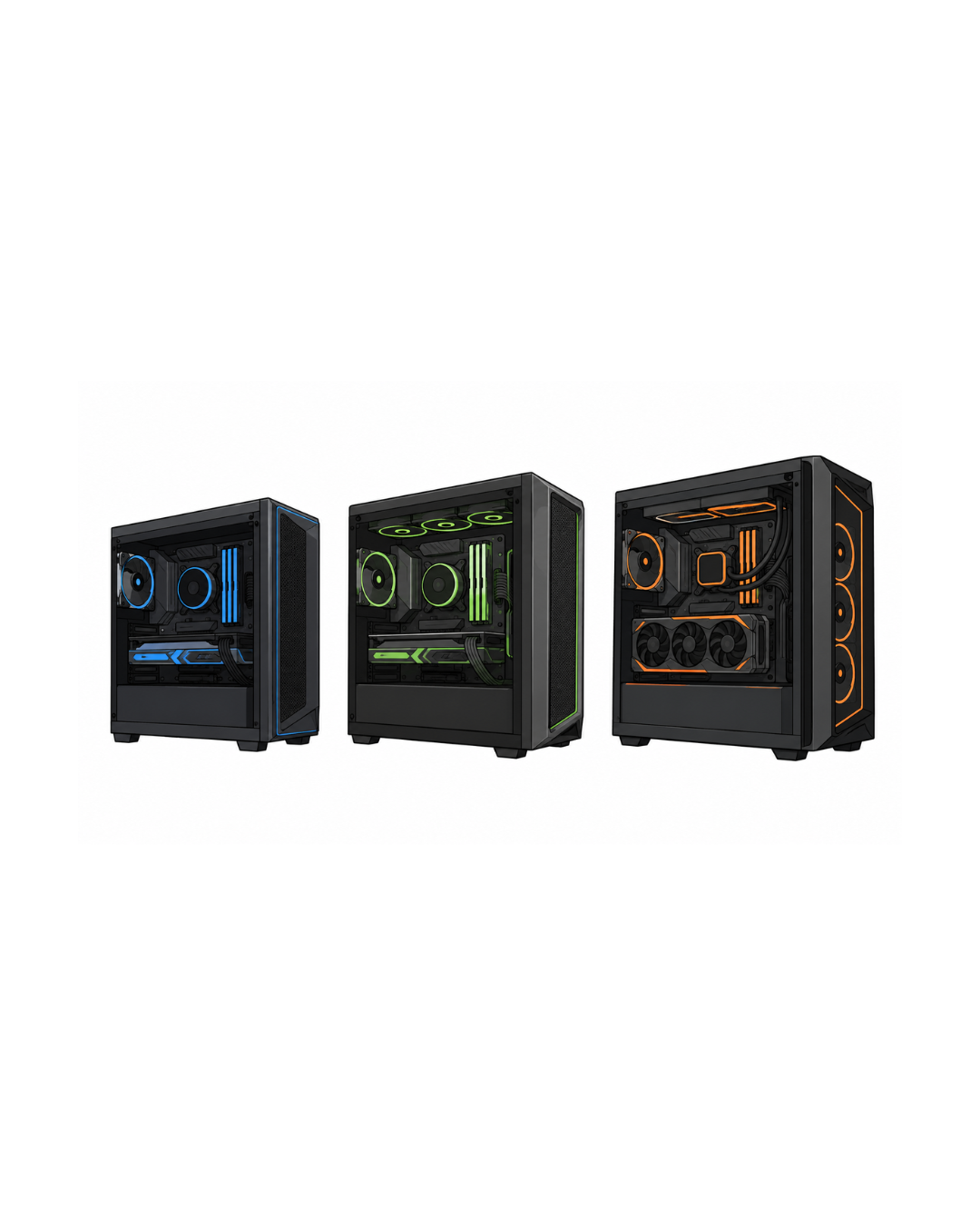
Final Verdict — Best Gaming PC Build 2026

🏆 Best Value Gaming PC — $1,200 Build (Ryzen 7 9700X + RTX 5070)

The $1,200 build is our top recommendation for most gamers in 2026. The Ryzen 7 9700X and RTX 5070 deliver outstanding 1440p performance — 110–160 FPS at high settings in most titles — with DLSS 4 pushing those numbers significantly higher. 2TB of NVMe storage and 32GB DDR5 mean nothing holds it back.

💚 Best Budget Gaming PC — $800 Build (Ryzen 5 9600X + RTX 5060)

For under $800, the Ryzen 5 9600X and RTX 5060 build provides a genuinely enjoyable 1080p 144Hz gaming experience. Built on AM5, it has a clear upgrade path. 32GB DDR5 and a Gold PSU mean the foundation is solid for 3+ years of incremental upgrades.

🚀 Best Performance Gaming PC — $1,500 Build (Ryzen 7 9800X3D + RTX 5070 Ti)

If you can stretch to $1,500, the 9800X3D + RTX 5070 Ti combination is the best gaming PC per dollar available in 2026. The 9800X3D is the fastest gaming CPU alive, the RTX 5070 Ti handles 1440p at 200+ FPS and 4K comfortably with DLSS 4. This machine will stay competitive for 5+ years.

⭐ Best Future-Proof Gaming PC — $2,000 Build (Ryzen 7 9800X3D + RTX 5080)

The $2,000 build is the choice for 4K gaming or anyone who doesn't want to think about upgrades for years. The RTX 5080 is an extraordinary GPU at $999, and paired with the 9800X3D and 1000W Titanium PSU, this build is ready for anything the next 5 years of gaming can throw at it.

🔑 Hardware Decoded Bottom Line Build on AM5. Use DDR5-6000. Don't go below 16GB VRAM on your GPU in 2026. And spend the majority of your budget on the GPU — it's the single component that determines your gaming experience more than anything else. The $1,200 build is the one most people should build. The $1,500 build is the one most people will wish they'd built.

You Might Also Like

Best GPU for Gaming 2026 — RTX 5000 vs RX 9000 Ranked

Full GPU comparison to help you pick the right graphics card.

RAM Prices Are Rising in 2026 — Should You Buy Now?

Why RAM costs more in 2026 and how it affects your PC build budget.

Best Laptops 2026 — Tested & Ranked for Every Budget

Want portability instead? Our full laptop guide for 2026.