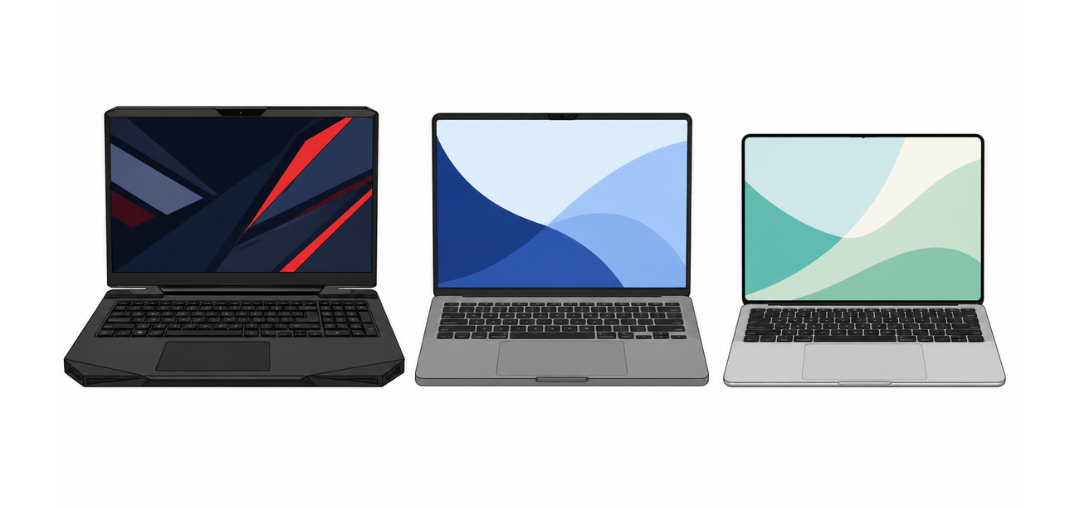
Finding the best laptop in 2026 is harder than ever. Apple Silicon keeps getting faster. Qualcomm's Snapdragon X Elite is now a real alternative on Windows. Intel and AMD are fighting back with new AI-powered chips. And gaming laptops are thinner and more powerful than anything we've seen before.
Whether you need the best budget laptop under $600, a gaming laptop that won't weigh down your backpack, a student laptop that lasts all day on one charge, or a premium machine for video editing — there's more choice than ever in 2026. But that choice can feel overwhelming.
We've cut through the noise. This guide ranks the best laptops of 2026 across every category, explains what the specs actually mean, and tells you exactly who should buy what.
🔑 The Short Answer
Best overall: MacBook Air 15" M4 |
Best Windows: Dell XPS 13 (2026) |
Best gaming: ASUS ROG Zephyrus G16 |
Best budget: Acer Swift 14 AI
Best Laptops 2026 — Full Rankings
The MacBook Air 15-inch with Apple's M4 chip is the best laptop for most people in 2026. It is fast, incredibly thin, fanless (silent), and lasts up to 18 hours on a single charge. The 15.3-inch Liquid Retina display is gorgeous, and the whole package weighs just 1.51kg.
This is the laptop we'd recommend to students, professionals, travellers, and everyday users alike. It handles everything from web browsing and documents to photo editing and light video work without breaking a sweat — or making any noise.
| Processor | Apple M4 (10-core CPU, 10-core GPU) |
| RAM | 16GB unified memory (24GB option available) |
| Storage | 256GB – 2TB SSD |
| Display | 15.3" Liquid Retina, 2880×1864, 500 nits |
| Battery Life | Up to 18 hours (real-world ~15–16 hours) |
| Weight | 1.51 kg |
| Ports | 2× USB-C (Thunderbolt 4), MagSafe, 3.5mm jack |
| Price | From $1,299 |
✅ The Good
- Outstanding battery life (15–18 hours real-world)
- Completely silent — no fan
- Beautiful 15.3" display
- Thin and light at 1.51kg
- M4 handles almost any everyday task
- Excellent webcam and speakers
❌ The Bad
- Only 2 USB-C ports (no USB-A, no HDMI)
- No dedicated GPU — not for gaming
- Base 256GB storage is stingy
- RAM and storage cannot be upgraded later
- macOS isn't for everyone
🎯 Best for: Students, professionals, travellers, everyday users who want the best all-rounder
⭐ Hardware Decoded Pick
Configure with 16GB RAM and at least 512GB storage. The 256GB base is too tight for most people within 2–3 years.
The ROG Zephyrus G16 is the best gaming laptop in 2026. It packs an NVIDIA RTX 5070 Ti (or RTX 5080 in higher configs), an AMD Ryzen AI 9 processor, and a stunning 240Hz OLED display — all in a chassis that weighs just 1.9kg. That's remarkable for a gaming laptop.
It handles AAA games at 1080p and 1440p with maximum settings. The OLED panel makes Cyberpunk 2077 and similar titles look extraordinary. Battery life away from a plug is around 6–8 hours for light use, dropping fast under gaming load.
| Processor | AMD Ryzen AI 9 HX 370 |
| GPU | NVIDIA GeForce RTX 5070 Ti (or RTX 5080) |
| RAM | 32GB DDR5 (upgradeable) |
| Storage | 1TB NVMe SSD (upgradeable) |
| Display | 16" OLED, 2560×1600, 240Hz, 100% DCI-P3 |
| Battery Life | ~6–8 hours light use; ~2 hours gaming |
| Weight | 1.9 kg |
| Ports | 2× USB-C (Thunderbolt 4), 2× USB-A, HDMI 2.1, SD card, 3.5mm |
| Price | From ~$2,199 |
✅ The Good
- RTX 5070 Ti — outstanding gaming performance
- Stunning 240Hz OLED display
- Surprisingly thin and light for a gaming laptop
- Excellent port selection
- RAM and SSD are upgradeable
❌ The Bad
- Expensive starting price (~$2,199)
- Battery drains fast while gaming
- Gets warm under sustained gaming loads
- Power brick is large and heavy
🎯 Best for: Gamers who want performance and portability, students who also game
If you edit video, produce music, write code professionally, or do any kind of heavy creative work, the MacBook Pro 16" M4 Pro is in a class of its own. It is the most powerful laptop available for sustained performance — and it does it with up to 22 hours of battery life. No other laptop comes close to that combination.
The Liquid Retina XDR display is breathtaking — with ProMotion up to 120Hz, 1,000 nits sustained brightness, and near-perfect colour accuracy right out of the box. Final Cut Pro, Logic Pro, Xcode, and other pro apps run as if they were designed for it — because they were.
| Processor | Apple M4 Pro (14-core CPU, 20-core GPU) |
| RAM | 24GB unified memory (48GB option) |
| Storage | 512GB – 8TB SSD |
| Display | 16.2" Liquid Retina XDR, 3456×2234, 120Hz ProMotion, 1600 nits peak |
| Battery Life | Up to 22 hours (real-world ~18–20 hours) |
| Weight | 2.14 kg |
| Ports | 3× Thunderbolt 5, HDMI 2.1, SD card, MagSafe, 3.5mm |
| Price | From $2,499 |
✅ The Good
- Best sustained performance of any laptop
- Incredible Liquid Retina XDR display
- Up to 22 hours real battery life
- Excellent port selection including Thunderbolt 5
- Best-in-class speakers and webcam
❌ The Bad
- Starts at $2,499 — very expensive
- Heavy at 2.14kg vs MacBook Air
- RAM and storage cannot be upgraded after purchase
- No dedicated GPU for gaming
🎯 Best for: Video editors, musicians, developers, designers, pro creators
The Dell XPS 13 remains the benchmark for Windows ultrabooks in 2026. It's compact, beautifully built, and now ships with Intel Core Ultra Series 2 processors that are faster and more efficient than before.
The 13.4" OLED display option is one of the best screens you'll find on a laptop at this size. For Windows users who want a premium, portable machine for work or travel, the XPS 13 is the top choice.
| Processor | Intel Core Ultra 7 258V (Intel Lunar Lake) |
| GPU | Intel Arc Graphics (integrated) |
| RAM | 16GB LPDDR5X (32GB option) |
| Storage | 512GB – 2TB SSD |
| Display | 13.4" OLED, 2880×1800, 90Hz or FHD+ IPS option |
| Battery Life | ~12–14 hours |
| Weight | 1.19 kg |
| Ports | 2× Thunderbolt 4, USB-C; USB-A via adapter |
| Price | From ~$1,299 |
✅ The Good
- Incredibly light at 1.19kg
- Premium build quality — feels excellent
- Beautiful OLED display option
- Strong everyday performance
- Great keyboard and touchpad
❌ The Bad
- Limited ports — needs a hub for USB-A/HDMI
- Integrated graphics only
- Can run warm under sustained load
- Webcam below chin-level (annoying on video calls)
🎯 Best for: Windows ultrabook fans, business travellers, professionals
The ThinkPad X1 Carbon is the laptop of choice for corporate professionals, and Gen 13 continues that legacy. It has the best keyboard of any laptop tested this year, military-grade durability certification, and exceptional build quality — all in a package under 1.1kg.
It runs Windows or Linux flawlessly, has excellent privacy features (webcam shutter, fingerprint reader, IR camera), and the battery lasts a full working day without needing a top-up.
| Processor | Intel Core Ultra 7 258V or 268V |
| GPU | Intel Arc Graphics (integrated) |
| RAM | 16GB or 32GB LPDDR5X |
| Storage | 512GB – 2TB SSD |
| Display | 14" IPS or OLED, up to 2.8K 120Hz |
| Battery Life | ~12–15 hours |
| Weight | From 1.08 kg |
| Ports | 2× Thunderbolt 4, 2× USB-A, HDMI 2.1, SD card, 3.5mm |
| Price | From ~$1,699 |
✅ The Good
- Best keyboard on any laptop
- Excellent port selection
- Military-grade build durability
- Outstanding Linux compatibility
- Privacy features built in
❌ The Bad
- Premium price — especially higher-spec configs
- Design is functional, not flashy
- No dedicated GPU
🎯 Best for: Business professionals, Linux users, frequent travellers who type all day
The Lenovo Legion Slim 5 is the best value gaming laptop in 2026. At around $1,099–$1,299, it offers RTX 5060 or RTX 5070 performance in a reasonably slim design. It's not as thin as the Zephyrus G16, but it's significantly cheaper and still a capable gaming machine.
For students who also game, or for anyone who wants a capable mid-range gaming laptop without paying a premium, the Legion Slim 5 is the answer.
| Processor | AMD Ryzen 7 8845HS |
| GPU | NVIDIA GeForce RTX 5060 or RTX 5070 |
| RAM | 16GB DDR5 (upgradeable to 32GB) |
| Storage | 512GB – 1TB NVMe SSD |
| Display | 16" IPS, 1920×1200, 165Hz |
| Battery Life | ~6–8 hours light use |
| Weight | 2.4 kg |
| Ports | 2× USB-C, 3× USB-A, HDMI 2.1, SD card, 3.5mm |
| Price | From ~$1,099 |
✅ The Good
- Best value gaming laptop in 2026
- Plenty of ports including USB-A
- RAM and SSD are upgradeable
- Solid 165Hz display
❌ The Bad
- Heavier than ultrabooks at 2.4kg
- IPS display — not as vivid as OLED
- Fan noise under gaming load
🎯 Best for: Budget gamers, students who need GPU power, value seekers
The HP Spectre x360 14 is the best convertible (2-in-1) laptop in 2026. It folds flat into a tablet, comes with a stylus included, and has a gorgeous OLED touchscreen. It's ideal for anyone who sketches, annotates documents, or just wants the flexibility of tablet and laptop in one device.
Performance is strong for everyday tasks and light creative work. Battery life is around 12–14 hours, and the build quality is premium — gem-cut aluminium edges and all.
| Processor | Intel Core Ultra 7 258V |
| GPU | Intel Arc Graphics (integrated) |
| RAM | 16GB or 32GB LPDDR5X |
| Storage | 512GB – 2TB SSD |
| Display | 14" OLED 2.8K 120Hz touchscreen, stylus included |
| Battery Life | ~12–14 hours |
| Weight | 1.41 kg |
| Ports | 2× Thunderbolt 4, USB-A, microSD, 3.5mm |
| Price | From ~$1,399 |
✅ The Good
- Stunning OLED touchscreen
- Stylus included — great for note-taking and drawing
- 360° hinge — use as laptop or tablet
- Premium build quality
❌ The Bad
- Heavier than non-convertibles at 1.41kg
- No discrete GPU
- Expensive for what's under the hood
🎯 Best for: Note-takers, artists, people who want a tablet and laptop in one
The Surface Laptop 7 uses Qualcomm's Snapdragon X Elite chip — Microsoft's ARM-based alternative to Intel. The result is outstanding battery life (up to 20+ hours in real-world use) and a fanless, silent design, along with a beautiful PixelSense touchscreen.
App compatibility on Windows ARM has improved significantly in 2026. Most popular apps now run natively. The trade-off is that some niche or older software still runs slower via emulation. If your work is browser, Office, and Teams, it's near-perfect.
| Processor | Qualcomm Snapdragon X Elite X1E-80-100 |
| GPU | Snapdragon X Elite integrated GPU |
| RAM | 16GB or 32GB LPDDR5X |
| Storage | 256GB – 1TB SSD |
| Display | 13.8" or 15" PixelSense, 2496×1664, 120Hz touchscreen |
| Battery Life | Up to 20 hours (real-world ~17–19 hours) |
| Weight | 1.34 kg (13.8") |
| Ports | 2× USB-C, 1× USB-A, Surface Connect, 3.5mm |
| Price | From ~$1,299 |
✅ The Good
- Exceptional battery life — best in Windows
- Completely silent — no fan
- Beautiful 120Hz touchscreen
- Clean, premium design
❌ The Bad
- Some apps still have ARM compatibility issues
- No Thunderbolt support
- Only one USB-A port
- Storage options start low (256GB)
🎯 Best for: Office workers, commuters, anyone who wants Windows with Apple-level battery life
The Zenbook 14 OLED is one of the best mid-range Windows laptops you can buy in 2026. At around $799–$999, it gives you a stunning 2.8K OLED display, AMD Ryzen AI 9 performance, and solid build quality. It's significantly cheaper than the XPS 13 or ThinkPad X1, and punches well above its price.
| Processor | AMD Ryzen AI 9 365 or Intel Core Ultra 7 |
| GPU | AMD Radeon 890M (integrated) |
| RAM | 16GB or 32GB LPDDR5X |
| Storage | 512GB – 1TB SSD |
| Display | 14" OLED, 2880×1800, 120Hz, 100% DCI-P3 |
| Battery Life | ~10–12 hours |
| Weight | 1.2 kg |
| Ports | 2× USB-C, 2× USB-A, HDMI 2.1, SD card, 3.5mm |
| Price | From ~$799 |
✅ The Good
- Gorgeous OLED at a mid-range price
- Great port selection for the price
- Light and well-built
- Strong AMD Ryzen AI performance
❌ The Bad
- Battery life shorter than premium rivals
- Fan can be noisy under load
🎯 Best for: Mid-range Windows buyers who want OLED without paying premium prices
The Framework Laptop 13 is unique: it's the only mainstream laptop you can fully repair and upgrade yourself. Swap the RAM, SSD, battery, keyboard, ports, and even the motherboard — all with a screwdriver. In a world of glued-together, non-repairable laptops, this matters.
Performance with AMD Ryzen AI 300 is competitive, display quality is solid, and battery life has improved significantly over earlier generations. If sustainability and longevity matter to you, this is the right buy.
| Processor | AMD Ryzen AI 7 350 or AI 9 365 |
| GPU | AMD Radeon 890M (integrated) |
| RAM | 16GB – 64GB DDR5 (user upgradeable) |
| Storage | 512GB – 4TB SSD (user upgradeable) |
| Display | 13.5" IPS, 2256×1504, 120Hz |
| Battery Life | ~10–12 hours |
| Weight | 1.37 kg |
| Ports | 4× modular expansion slots (choose USB-C, USB-A, HDMI, SD, etc.) |
| Price | From ~$1,049 |
✅ The Good
- Fully repairable and upgradeable
- Customisable ports
- Strong Linux support
- Competitive performance
- Sustainable — keeps working for years
❌ The Bad
- No OLED display option
- Heavier than similarly priced ultrabooks
- No dedicated GPU
🎯 Best for: Tech enthusiasts, Linux users, eco-conscious buyers, anyone who hates planned obsolescence
The Acer Swift 14 AI is the best budget laptop in 2026. At around $599, it offers an Intel Core Ultra 7 processor, 16GB of RAM, a solid 14" IPS display, and up to 12 hours of battery life. There's very little else at this price that comes close.
It's light, well-built for the price, and handles everyday tasks — documents, browsing, video calls, light photo editing — with no trouble at all. The ideal first laptop or a straightforward upgrade from an ageing machine.
| Processor | Intel Core Ultra 7 258V |
| GPU | Intel Arc Graphics (integrated) |
| RAM | 16GB LPDDR5X |
| Storage | 512GB SSD |
| Display | 14" IPS, 1920×1200, 60Hz |
| Battery Life | ~10–12 hours |
| Weight | 1.49 kg |
| Ports | 2× USB-C, 1× USB-A, HDMI, SD card, 3.5mm |
| Price | ~$599 |
✅ The Good
- Excellent value — best under $700
- 16GB RAM as standard
- Good port selection for the price
- Lightweight and portable
❌ The Bad
- IPS display — no OLED at this price
- 60Hz refresh rate feels slow vs higher-end rivals
- Build feels more plastic than premium
🎯 Best for: Students, first laptop buyers, anyone on a tight budget
The ASUS TUF A15 is the most affordable gaming laptop worth recommending in 2026. Starting around $799 with an RTX 5060, it plays most games at 1080p high settings without trouble. It's built to last — military-grade durability testing — and has excellent cooling for a budget gaming laptop.
| Processor | AMD Ryzen 7 8845HS |
| GPU | NVIDIA GeForce RTX 5060 |
| RAM | 16GB DDR5 (upgradeable) |
| Storage | 512GB NVMe SSD |
| Display | 15.6" IPS, 1920×1080, 144Hz |
| Battery Life | ~5–7 hours light use |
| Weight | 2.3 kg |
| Ports | 2× USB-C, 3× USB-A, HDMI 2.1, 3.5mm |
| Price | From ~$799 |
✅ The Good
- RTX 5060 gaming at a budget price
- Durable military-grade build
- RAM and SSD upgradeable
- Plenty of USB-A ports
❌ The Bad
- Heavy at 2.3kg — not a commuter laptop
- Battery drains fast under gaming
- Display colours are average
🎯 Best for: Budget gamers, students who game on a desk at home
The Dell Inspiron 15 is the most accessible laptop in our list — available from around $449 with an AMD Ryzen 5 or Intel Core i5. It's not exciting, but it gets the job done for basic everyday tasks: browsing, documents, video calls, and streaming.
For families buying a first laptop or for secondary/shared use, the Inspiron 15 is reliable, widely available, and easy to find on sale.
| Processor | AMD Ryzen 5 8500U or Intel Core i5-1335U |
| GPU | AMD Radeon or Intel Iris Xe (integrated) |
| RAM | 8GB or 16GB DDR4 |
| Storage | 256GB or 512GB SSD |
| Display | 15.6" FHD IPS, 120Hz option |
| Battery Life | ~7–9 hours |
| Weight | 1.76 kg |
| Ports | 1× USB-C, 2× USB-A, HDMI, SD card, 3.5mm |
| Price | From ~$449 |
✅ The Good
- Very affordable starting price
- Large 15.6" screen
- Reliable Dell build quality
- Handles everyday tasks easily
❌ The Bad
- 8GB RAM base config is tight in 2026
- Average display quality
- Not suitable for demanding tasks
🎯 Best for: Entry-level buyers, families, basic everyday use
💡 Buying Tip
If buying a Dell Inspiron 15, pay the small premium to get the 16GB RAM version. The 8GB model will feel slow within 2 years.
Laptop Buying Guide 2026 — What to Look for
Intel vs AMD vs Apple Silicon vs Snapdragon — Which Processor?
The processor (CPU) is the brain of your laptop. In 2026, you have four main options:
How Much RAM Do You Need in 2026?
RAM is the short-term memory your laptop uses for open apps and tasks. More RAM = smoother multitasking.
- 8GB — Minimum for basic use. Will feel slow with many tabs open. Avoid if buying new in 2026.
- 16GB — The sweet spot for most people. Handles everything comfortably for 3–4 years.
- 32GB — Recommended for power users, programmers, and light creative work.
- 48GB / 64GB+ — Video editors, engineers, ML developers. The MacBook Pro M4 Max goes up to 128GB.
💡 Key Rule
Never buy a laptop with 8GB RAM in 2026 if you plan to keep it for more than 2 years. 16GB is the new minimum.
How Much Storage (SSD) Do You Need?
- 256GB — Tight. Workable if you store files in the cloud, but you'll feel squeezed.
- 512GB — Comfortable for most users.
- 1TB — Recommended for photographers, light video editors, and gamers.
- 2TB+ — Pro video editors, heavy gamers, large project files.
OLED vs IPS — Which Display Is Better?
OLED displays produce perfect blacks, richer colours, and higher contrast — the image pops in a way IPS simply can't match. They're excellent for creators, movie watchers, and anyone who stares at a screen all day.
IPS displays are brighter in some cases, have no burn-in risk, and are more affordable. For everyday tasks and productivity, a good IPS panel is perfectly fine.
✅ Our Recommendation
If you're spending $900+, try to get a laptop with an OLED panel. At $600–$900, a high-quality IPS (400+ nits, good colour coverage) is fine.
Integrated vs Dedicated GPU — Do You Need a Dedicated Graphics Card?
An integrated GPU is built into the processor — it uses system memory and is sufficient for everything except gaming and GPU-intensive creative work.
A dedicated GPU (like an NVIDIA RTX 5060 or 5070) has its own dedicated memory and is far faster for games, 3D rendering, and video effects.
You need a dedicated GPU if: you game, edit video with GPU effects, do 3D modelling, or run machine learning. For everything else, save your money — integrated graphics in 2026 are genuinely good.
Battery Life — What to Expect
Manufacturer battery claims are almost always optimistic. Here are realistic expectations:
- Apple M4 (Air / Pro): 15–22 hours real-world. The gold standard.
- Snapdragon X Elite (Surface Laptop 7): 17–20 hours. Best Windows battery life.
- Intel Core Ultra / AMD Ryzen AI ultrabooks: 10–14 hours typical.
- Gaming laptops: 5–8 hours light use, 1–3 hours under gaming load.
Port Selection — What Do You Actually Need?
Modern thin laptops sacrifice ports for slimness. Here's what to prioritise:
- Must have: At least 2× USB-C (preferably Thunderbolt 4). These handle charging, displays, and fast storage.
- Very useful: USB-A (for older peripherals), HDMI (for monitors without USB-C), SD card slot (for cameras).
- Avoid: Laptops with only 1 USB-C port — you'll always need a hub, which is annoying.
Should You Care About Upgradeability?
Most modern laptops — especially Apple MacBooks, Dell XPS, and HP Spectre — have RAM and storage soldered directly to the motherboard. You cannot upgrade them later. This means the specs you buy are the specs you're stuck with for the laptop's lifetime.
The main exceptions are the Framework Laptop (fully upgradeable), the Lenovo Legion series (RAM and SSD accessible), and some ThinkPad models. If longevity matters, buy more RAM and storage upfront, or choose an upgradeable laptop.
Best Laptops 2026 by Use Case
Find your situation below for a personalised recommendation.
🎓 Students
Top pick: MacBook Air 13" M4 ($1,099) or Acer Swift 14 AI (~$599). Students need long battery life, portability, and enough power for assignments, research, and video calls. Both deliver. The MacBook Air lasts all day without a charger and handles everything. The Acer Swift 14 AI is the best option if budget is tight.
🎮 Gaming
Top pick: ASUS ROG Zephyrus G16 (~$2,199) or Lenovo Legion Slim 5 (~$1,099). The Zephyrus G16 is the best gaming laptop money can buy — RTX 5070 Ti, stunning OLED, surprisingly portable. The Legion Slim 5 is the smart budget choice: RTX 5060 or 5070 at a much lower price with an upgradeable design.
💻 Programming & Development
Top pick: MacBook Pro 14" M4 Pro or ThinkPad X1 Carbon Gen 13. Developers love the MacBook Pro for its powerful CPU, Unix-based macOS, and extraordinary battery life. The ThinkPad is the top choice for Windows/Linux developers — outstanding keyboard, flawless Linux support, great build quality.
💼 Business & Corporate
Top pick: ThinkPad X1 Carbon Gen 13 (~$1,699) or Dell XPS 13 (~$1,299). Both are lightweight, fast, and professional. The ThinkPad wins on keyboard and durability. The XPS 13 wins on display and aesthetics. Both integrate well with corporate IT infrastructure.
🎬 Video Editing
Top pick: MacBook Pro 16" M4 Pro ($2,499). Nothing else comes close for video editing in 2026. The M4 Pro chip, 24–48GB unified memory, Liquid Retina XDR display, and ProRes support make it the undisputed choice. For Windows users, the ASUS ROG Zephyrus G16 with its OLED display and RTX 5070 Ti is a strong alternative for Premiere Pro workflows.
📐 Engineering & CAD
Top pick: MacBook Pro 16" M4 Max or Dell XPS 15 with RTX 5070. CAD and simulation software benefits from both CPU and GPU horsepower, plus lots of RAM. The M4 Max with 48–64GB is outstanding for simulation. For Windows-native engineering software (SolidWorks, AutoCAD), go with a high-spec Dell XPS 15 or Lenovo ThinkPad P-series workstation.
✈️ Travel & On the Road
Top pick: MacBook Air 13" M4 or Microsoft Surface Laptop 7. For travellers, battery life and weight are everything. The MacBook Air 13" weighs just 1.24kg and lasts all day. The Surface Laptop 7 on Snapdragon X Elite offers similar all-day battery on Windows. Both are compact enough to use on planes comfortably.
🎨 Content Creation (Photo / Design)
Top pick: MacBook Pro 16" M4 Pro or ASUS Zenbook 14 OLED. Photographers and graphic designers benefit from colour-accurate OLED displays and plenty of RAM. The MacBook Pro 16" is the premium choice. The ASUS Zenbook 14 OLED is an excellent, more affordable alternative with a 100% DCI-P3 OLED panel.
Final Verdict — Best Laptops 2026
🏆 Best Overall Laptop — Apple MacBook Air 15" M4
The MacBook Air 15" M4 is the best laptop for most people in 2026. Outstanding battery life, a gorgeous display, silent fanless operation, and M4 performance that handles almost every task — in a 1.51kg package. If you're on macOS, this is the one.
💚 Best Windows Laptop — Dell XPS 13 (2026)
The best all-around Windows laptop. Premium build, beautiful OLED option, excellent keyboard and trackpad, and strong Core Ultra performance. The limited ports are the only genuine gripe.
🎮 Best Gaming Laptop — ASUS ROG Zephyrus G16
The thinnest, most capable gaming laptop of 2026. RTX 5070 Ti, a 240Hz OLED panel, and only 1.9kg. It redefines what a gaming laptop can be. If budget is the concern, the Lenovo Legion Slim 5 is the smart alternative.
💰 Best Budget Laptop — Acer Swift 14 AI (~$599)
The best laptop under $700 in 2026. Core Ultra 7, 16GB RAM, great battery life, and solid portability. For students and everyday users who can't or don't want to spend $1,000+, this is the answer.
🔑 Hardware Decoded Bottom Line
The best laptop in 2026 depends on who you are. Most people: MacBook Air M4. Budget-conscious: Acer Swift 14 AI. Gaming: ASUS ROG Zephyrus G16. Pro creators: MacBook Pro M4 Pro. Whatever you choose, make sure you have at least 16GB RAM — it's the one spec you'll feel every single day.