What is an AI PC? NPU, Copilot+ and AI laptop explained for beginners in 2026

What Is an AI PC? NPU, Copilot+, and What It Means for You (2026 Guide)

Every laptop and desktop now comes with AI built in. But what does that actually mean — and do you actually need it? We explain everything in plain English.

Last updated June 2026  ·  16 min read

⚡ Quick Answer — What Is an AI PC? An AI PC is a computer with a dedicated chip called an NPU (Neural Processing Unit) built in. This chip runs artificial intelligence tasks quickly and efficiently — entirely on your device, without needing the internet. AI PCs can do things like translate languages in real time, remove background noise on video calls, and generate images from text — all locally and privately.

"AI PC" is one of the biggest buzzwords in technology right now. Every laptop manufacturer is slapping the label on their products. Microsoft has created a whole new certification called "Copilot+ PC." Intel, AMD, Qualcomm, and Apple are all racing to build the most powerful AI chips.

But for most people, it raises a simple question: What does this actually mean for me? Is this genuinely useful, or is it just marketing? Do you need to buy a new computer? What on earth is an NPU?

This guide answers all of those questions — in plain English, starting from the very basics and building up to everything you need to make an informed decision in 2026.

📋 In This Guide

  1. Key Takeaways
  2. AI PC Explained in Plain English
  3. CPU vs GPU vs NPU — What's the Difference?
  4. What Is an NPU? (Deep Dive)
  5. What Is a Copilot+ PC?
  6. What Can AI PCs Actually Do Today?
  7. Cloud AI vs Local AI — A Key Difference
  8. Which Companies Are Leading the AI PC Race?
  9. Do You Need an AI PC?
  10. AI PCs vs Traditional PCs
  11. Common Myths About AI PCs
  12. Honest Limitations of AI PCs
  13. The Future of AI PCs (2026–2030)
  14. AI PC Buying Guide 2026
  15. Frequently Asked Questions
  16. Final Verdict

Key Takeaways — AI PCs in 2026

AI PC Explained in Plain English

What Is a Traditional PC?

A traditional PC is a computer built around two main processors: a CPU (the brain — handles general computing tasks) and a GPU (the muscle — handles graphics and visual work).

Together, they've powered personal computing for decades. Writing documents, browsing the web, editing photos, playing games — your CPU and GPU handle it all. They're extraordinarily capable general-purpose processors.

So What Makes a PC an "AI PC"?

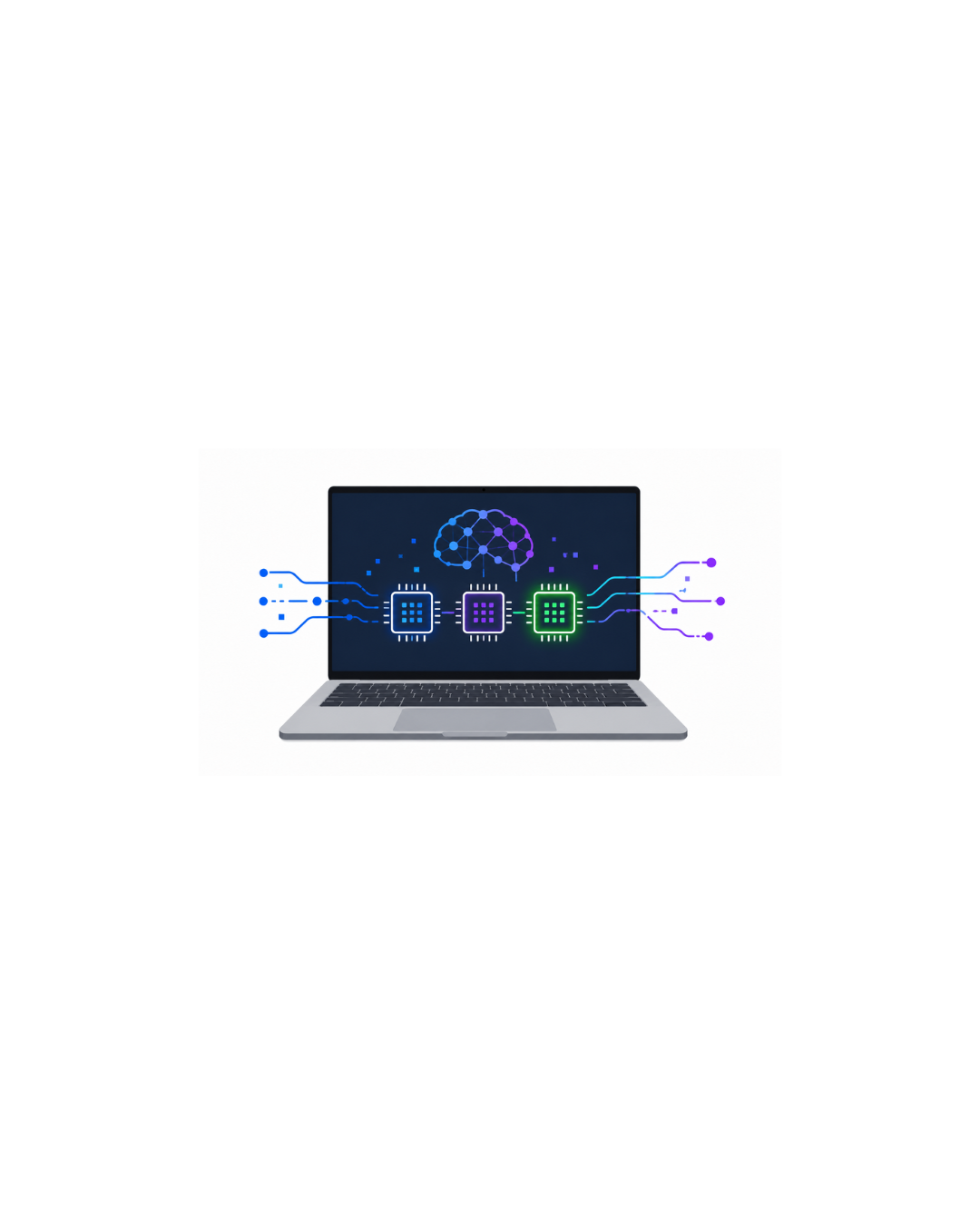
An AI PC adds a third type of processor: an NPU (Neural Processing Unit). This chip is specifically designed to run AI models — the mathematical engines behind things like speech recognition, image generation, and language understanding.

Think of it this way. Imagine your house has a kitchen, a living room, and a workshop. The kitchen (CPU) handles everyday cooking. The living room (GPU) handles entertainment. The workshop (NPU) is a specialist space where you do precision, detail-oriented work.

You could do precision work in the kitchen. But it would be messy, slow, and inefficient. The workshop — built specifically for it — does the same work faster, cleaner, and with far less energy.

That's exactly what an NPU does for AI tasks on your computer.

Why Did Manufacturers Create AI PCs?

AI tools like ChatGPT, Midjourney (image generation), and real-time translation have become mainstream. But traditionally, these tools run on massive servers in data centres owned by companies like Microsoft, Google, and OpenAI.

Every time you use ChatGPT, your message travels to a data centre, gets processed by enormous computers, and a response comes back to you. This works — but it has real problems:

AI PCs solve this by bringing the AI processing onto your device. Your data never leaves your computer. The AI works offline. It responds instantly. And nobody else pays for the computing costs.

CPU vs GPU vs NPU — What's the Difference?

These three chips all live inside modern computers, but they do very different jobs.

🧠

CPU

"The Office Worker"

Handles one task at a time, very quickly. Brilliant at complex, sequential thinking — like a brilliant employee who can do almost anything but works alone at a desk.

🏭

GPU

"The Factory Floor"

Handles thousands of simple tasks simultaneously. Perfect for graphics, video, and large parallel workloads — like a factory with hundreds of workers doing the same simple task at the same time.

🤖

NPU

"The AI Specialist"

Built specifically for the maths behind AI models. Extremely efficient — does AI work faster and with far less energy than a CPU or GPU doing the same job.

FeatureCPUGPUNPU
Full nameCentral Processing UnitGraphics Processing UnitNeural Processing Unit
What it's forGeneral computing (everything)Graphics, video, parallel mathsAI and machine learning tasks
How it worksFew very fast coresThousands of small parallel coresSpecialised matrix maths units
AI efficiencyLow — wastes power on AIMedium — fast but power-hungryHigh — built for AI maths
Power use for AIHighVery highVery low
Best atBrowsing, apps, games, everythingGaming, 3D, video editingSpeech, translation, image AI
Can it run AI?Yes, slowly and inefficientlyYes, fast but uses lots of powerYes — this is its only job
ExampleAMD Ryzen, Intel Core UltraNVIDIA RTX 5080, AMD RX 9070 XTQualcomm Hexagon, Intel AI Boost
💡 Simple Analogy Asking your CPU to run AI is like asking a chef to build a house. They can do it — but it will take forever and they'll be exhausted. The NPU is the specialist builder who does it in a fraction of the time, using a fraction of the energy.

What Is an NPU? (Deep Dive)

The Simple Version

An NPU — Neural Processing Unit — is a chip inside your computer that is purpose-built to run AI calculations. "Neural" refers to artificial neural networks, which are the mathematical models that power modern AI.

Artificial neural networks are inspired by how the human brain works. They involve billions of tiny calculations — multiplying numbers, adding them together, passing results through mathematical functions. An NPU has thousands of tiny processing units designed to do exactly these kinds of calculations, in parallel, incredibly fast, and with minimal power draw.

Why Can't the CPU or GPU Handle AI?

They can — but at a cost. Running AI on a CPU drains battery fast and is slow. Running AI on a GPU is faster, but uses enormous amounts of power. Neither is efficient enough for always-on, battery-powered AI tasks on a laptop.

The NPU changes this. It performs the same AI calculations using a fraction of the power — sometimes 10–20 times more efficiently than a CPU. This means your laptop can run AI features in the background, all day, without significantly impacting battery life.

What Is TOPS? (How NPU Power Is Measured)

NPU performance is measured in TOPS — Trillion Operations Per Second. This is how many trillions of AI calculations the chip can perform every second.

Think of it like measuring how fast a car can go — except instead of km/h, we're measuring how many trillion AI maths problems it can solve in a second.

Microsoft requires at least 40 TOPS to qualify for the Copilot+ PC certification. Current high-end NPUs offer 45–65 TOPS. Next-generation chips are expected to exceed 100 TOPS by 2027.

Current NPU Performance (2026)

Apple M4 Neural Engine
~38T*
Snapdragon X Elite
45 TOPS
AMD Ryzen AI 9 HX 370
50 TOPS
Intel Core Ultra 7 258V
47 TOPS
Copilot+ Minimum
40 TOPS

*Apple measures Neural Engine performance differently; not directly comparable to TOPS figures from other manufacturers.

Where Is the NPU Located?

In modern laptops and desktop processors, the NPU is integrated directly into the main chip (called the SoC — System on a Chip). It sits alongside the CPU cores and GPU cores, all on one piece of silicon.

You don't buy an NPU separately. If your laptop has an Intel Core Ultra (Series 2), AMD Ryzen AI, Qualcomm Snapdragon X, or Apple M-series processor, it already has an NPU built in.

What Is a Copilot+ PC?

⚡ One-Line Answer A Copilot+ PC is Microsoft's label for a Windows laptop or desktop that has a powerful enough NPU (40+ TOPS) to unlock exclusive AI features in Windows 11.

Microsoft launched the Copilot+ PC programme in mid-2024, and it has expanded significantly through 2025–2026. It's essentially a quality standard — a way for Microsoft to say "this PC is powerful enough to run our new AI features."

Important: Copilot+ PC and Microsoft Copilot are different things. Microsoft Copilot is an AI assistant (like ChatGPT) that runs in the cloud and works on any Windows PC with internet. Copilot+ PC is a hardware certification for local, on-device AI.

What Are the Hardware Requirements for Copilot+ PC?

RequirementMinimum SpecWhy It's Needed
NPU Performance40+ TOPSTo run local AI models in real time
RAM16GBAI models need lots of working memory
Storage256GB SSDAI models and Recall data storage
Operating SystemWindows 11Copilot+ features are Windows 11 only
Supported ChipsSnapdragon X, Intel Core Ultra 2, AMD Ryzen AI 300These chips meet the 40 TOPS NPU requirement

What Features Do You Get on a Copilot+ PC?

These features are exclusive to Copilot+ PCs — they don't work on standard Windows laptops.

FeatureWhat It DoesRuns Locally?
RecallTakes periodic screenshots of everything on your PC and makes it all searchable with AI. Find anything you've seen before by just describing it.✅ Fully local
Live Captions + TranslationReal-time subtitles for any audio playing on your PC. Translates 44 languages into English in real time.✅ Fully local
Cocreator (Paint)AI image generation inside the built-in Paint app. Describe what you want, it generates it.✅ Fully local
Restyle ImageChanges the art style of any image — turn a photo into a watercolour painting, for example.✅ Fully local
Super ResolutionAI upscaling for images and video — makes low-resolution content sharper.✅ Fully local
Windows Studio EffectsAI webcam enhancements — background blur, eye contact correction, auto-framing, studio lighting.✅ Fully local
Photo EnhancementsRemove objects from photos, blur backgrounds, improve exposure — powered by on-device AI.✅ Fully local
AI ExplorerIntelligent file search across your PC — finds documents, emails, and files by describing what you remember.✅ Fully local

What Can AI PCs Actually Do Today?

Here are the real-world AI features available on AI PCs right now — not future promises, but things you can use today.

🎤

Live Captions & Real-Time Translation

Generates subtitles for anything playing on your PC — videos, podcasts, calls. Translates 44 languages into English in real time with no internet. Brilliant for meetings with international colleagues or watching foreign-language content.

🎨

AI Image Generation

Type a description and watch your PC draw it. Available in Windows Paint (Copilot+), Adobe Firefly, and apps like Stable Diffusion locally. No internet needed, no subscription required on device.

📸

AI Photo Editing

Remove unwanted objects from photos with one click. Blur backgrounds. Enhance lighting. Upscale low-resolution images to look sharp. Available in Windows Photos, Adobe Lightroom, and others.

🎥

AI Video Effects

Blur your webcam background during video calls. The AI tracks you in real time and keeps you in frame automatically. Works in any video calling app — Teams, Zoom, Google Meet — at the OS level.

🔇

Background Noise Removal

AI listens to your microphone and removes background sounds in real time — keyboards, traffic, coffee shops — leaving only your voice. Works in any app without needing internet.

🔍

AI Search (Recall)

Can't find a document you read weeks ago? Recall lets you search your entire PC history by describing what you remember seeing — "that spreadsheet with the red graph about Q3." It finds it instantly.

💻

Coding Assistance

AI coding tools like GitHub Copilot can now run models locally on AI PCs — suggesting code, explaining errors, and writing functions without your code leaving your device. Huge for developer privacy.

✍️

Writing Assistance

AI writing tools are built into Microsoft 365 (Copilot in Word), and smaller local AI models can check grammar, rewrite sentences, and summarise documents entirely on-device.

📋

Meeting Summaries

After a Teams or Zoom call, AI transcribes the whole meeting and generates a summary with action items — all processed locally on your device in minutes. No call recording sent to a server.

🎵

AI Audio Enhancement

Real-time audio processing improves the quality of your voice during calls and meetings — making you sound clearer and more professional, even from a basic microphone.

🌐

Smart Browser Features

Microsoft Edge on Copilot+ PCs can summarise web pages, answer questions about what you're reading, and generate images — with some features running locally for speed and privacy.

🤖

Local AI Chatbots

Apps like Ollama, LM Studio, and Microsoft's own tools let you run AI language models (like Meta's Llama 3 or Microsoft's Phi-3) entirely on your device. Ask questions, get summaries, generate text — all offline.

Cloud AI vs Local AI — The Most Important Distinction

This is arguably the most important concept to understand about AI PCs. Almost every AI tool you've used so far — ChatGPT, Google Gemini, Midjourney, Copilot in the browser — is cloud AI. AI PCs primarily run local AI. They're fundamentally different.

How Cloud AI Works

When you type a message into ChatGPT, here's what actually happens:

  1. Your message leaves your device and travels over the internet.
  2. It arrives at OpenAI's data centre — a building full of thousands of computers.
  3. Those computers process your message using a massive AI model.
  4. The response travels back over the internet to your screen.

This works brilliantly. Cloud AI models like GPT-4o are extraordinarily capable because they run on hardware that costs billions of dollars to build and run. Your laptop could never host a model that powerful.

How Local AI Works

Local AI runs entirely on your device. The AI model is stored on your SSD. The NPU processes your requests. The answer comes back in milliseconds — without ever touching the internet.

Local AI models are smaller and less capable than cloud models like ChatGPT. But they're getting better rapidly, and they have significant advantages.

Feature☁️ Cloud AI (e.g. ChatGPT)🖥️ Local AI (e.g. NPU on device)
Internet needed?Yes — alwaysNo — works offline
PrivacyData leaves your deviceData never leaves your device
SpeedDepends on internet + server loadInstant — no network delay
CapabilityVery high — access to huge modelsModerate — smaller models
CostOften subscription-based ($20+/month)Free — runs on hardware you own
ReliabilityServer outages affect youAlways available when device is on
Data controlProvider stores your dataYou control your data entirely
Best forComplex tasks, large documents, codingEveryday tasks, privacy-sensitive work
💡 The Right Mental Model Think of cloud AI as hiring a genius consultant who lives in another city. They're brilliant, but you need to call them, wait for them to pick up, and tell them your private business. Local AI is like having a capable assistant who works in your office — less powerful than the genius consultant, but always available, instant, and knows everything stays in the building.

Which Companies Are Leading the AI PC Race?

Microsoft   The Platform Builder

Microsoft defined the AI PC category with its Copilot+ PC certification in 2024. They're integrating AI into Windows 11 itself — Recall, Live Captions, Studio Effects, and more are all Microsoft-developed features running on the NPU. Microsoft also develops local AI models (the Phi series — small but capable language models designed to run on device) and is deeply invested in making AI a core part of Windows going forward.

Strategy: Make AI features feel native to Windows, not a third-party add-on. Every new Windows feature now has an AI component.

Intel   The Comeback Kid

Intel fell behind in mobile chips but came back strongly with its Core Ultra Series 2 (codenamed Lunar Lake). These chips include an Intel NPU 4 capable of up to 47 TOPS — comfortably above the Copilot+ threshold. Intel has also invested heavily in AI software tools (OpenVINO) that help developers optimise their AI applications for Intel hardware.

Strategy: Deliver AI capability inside a power-efficient chip for thin ultrabooks, while providing developer tools to build the AI software ecosystem.

AMD   The Performance Leader

AMD's Ryzen AI 300 series delivers the highest NPU TOPS of any x86 chip family in 2026 — up to 50 TOPS in the Ryzen AI 9 HX 370. AMD is unique in combining a powerful NPU with strong CPU and GPU performance in one chip, making AMD-powered AI PCs the best all-rounders for gaming, creative work, and AI simultaneously. The ROG Zephyrus G16 and ASUS Zenbook 14 OLED are standout examples.

Strategy: Lead on raw AI performance while delivering the best overall computing performance in the package.

Qualcomm   The Efficiency Champion

Qualcomm's Snapdragon X Elite and Snapdragon X Plus chips are ARM-based (like Apple Silicon) — and they deliver extraordinary battery life alongside strong AI performance. Microsoft's Surface Laptop 7 runs on Snapdragon X Elite and achieves 17–20 hours of real battery life. The Snapdragon X Elite's Hexagon NPU is capable and was the first chip to enable Copilot+ features on Windows.

Strategy: Bring Apple Silicon-like efficiency to Windows. Lead on battery life and AI capability in thin, fanless designs.

Apple   The Quiet Pioneer

Apple has had AI silicon in its devices since 2017 (iPhone X's Neural Engine) and in Macs since 2020 (M1). Apple was doing local AI before it was called "AI PC." The M4's Neural Engine performs ~38 trillion operations per second and powers Apple Intelligence — a suite of on-device AI features for writing, image generation, and Siri improvements launched in 2025.

Apple's approach differs from Microsoft: instead of licensing the concept to many chip makers, Apple controls the entire stack — hardware, OS, and applications. This results in incredibly polished AI features that work seamlessly, at the cost of being locked to Apple's ecosystem.

Strategy: Deep vertical integration. Own the chip, OS, and apps. Deliver polished, private, on-device AI that "just works."

Do You Need an AI PC? — By User Type

The honest answer depends entirely on what you do with your computer. Here's a breakdown for each type of user.

🎓 Students — Maybe

Students

AI features like real-time translation, meeting transcription, writing assistance, and Recall are genuinely useful for studying. If you're buying a new laptop for university in 2026, choosing a Copilot+ compatible model (or a MacBook with Apple Intelligence) makes sense. Don't rush to replace a working laptop just for AI features though — the software is still maturing.

💼 Office Workers — Yes, Eventually

Office Workers & Business Users

Meeting transcription, real-time translation, noise removal, and AI-enhanced document tools are directly useful for office work. For businesses processing sensitive client data, the privacy advantage of local AI over cloud AI is significant. Corporate AI PC adoption is accelerating rapidly — if your employer is providing a new device, it should be an AI PC.

🎨 Creators — Yes

Content Creators

AI PCs deliver immediate, tangible value for creators. Local AI image generation, background removal, object erasure, style transfer, and video upscaling are all available right now. Creators who care about keeping their work private (not sending client content to cloud servers) particularly benefit. If you create content professionally, an AI PC is a meaningful upgrade.

💻 Developers — Yes

Software Developers

Local AI coding assistants are a genuine productivity boost. Running AI models on-device means your proprietary code never leaves your machine — essential for many corporate and client projects. Developers also benefit from running and testing local AI models for their own projects without API costs.

🎮 Gamers — Depends

Gamers

Gaming itself doesn't require an NPU. However, modern gaming laptops (like the ASUS ROG Zephyrus G16) automatically qualify as Copilot+ PCs because their Intel/AMD processors include capable NPUs. If you're buying a gaming laptop in 2026, you'll likely get AI PC features included — which is a nice bonus. Don't buy an AI PC instead of a gaming PC though.

🏠 Everyday Users — Wait (For Now)

Everyday / Casual Users

If you primarily browse the web, stream videos, and send emails — you don't urgently need an AI PC today. The AI features are nice-to-have, not essential. However, if your current laptop is 4+ years old and due for replacement, buying a new Copilot+ compatible model makes sense for future-proofing. Don't rush out and buy one purely for AI features yet.

AI PCs vs Traditional PCs — Side by Side

FeatureTraditional PC (pre-2024)AI PC (2025–2026)
AI chip (NPU)❌ None✅ Built-in NPU
Local AI features❌ Not available✅ Recall, translation, image gen, etc.
Privacy for AI tasks❌ Must use cloud (data leaves device)✅ Runs on device, data stays local
AI offline❌ Requires internet✅ Works without internet
Battery efficiency❌ AI tasks drain battery fast✅ NPU handles AI with minimal battery impact
Copilot+ features❌ Not eligible✅ Full Copilot+ support (on qualifying hardware)
General performance✅ Capable for everything else✅ Same or better
Gaming✅ Depends on GPU✅ Same — GPU determines gaming ability
Cost✅ Lower (older models cheaper)⚠️ Slightly higher at same spec tier
Software support future⚠️ Fewer new features over time✅ Growing AI feature set
Future-proofing❌ Limited✅ Built for the next 5 years

Common Myths About AI PCs — Debunked

❌ Myth
"AI PCs are just marketing — there's nothing real here."
Reality: The marketing is aggressive, but the underlying hardware is real. NPUs genuinely exist, they genuinely run AI tasks more efficiently than CPUs, and features like Live Captions, Recall, and local image generation genuinely work on Copilot+ PCs. The hype is ahead of the software ecosystem — but the hardware is legitimate.
❌ Myth
"AI PCs replace the need for a GPU."
Reality: Not even close. An NPU handles AI tasks efficiently but has no role in gaming, 3D rendering, or video processing. If you game or do video work, you still need a dedicated GPU. The NPU and GPU handle completely different workloads and don't compete with each other.
❌ Myth
"AI PCs replace cloud AI — I don't need ChatGPT anymore."
Reality: Local AI models are smaller and less capable than cloud models like GPT-4o. They're better for quick, private, everyday tasks. For complex reasoning, large document analysis, or cutting-edge capabilities, cloud AI remains significantly more powerful. AI PCs complement cloud AI — they don't replace it.
❌ Myth
"AI PCs are only for businesses and developers."
Reality: Features like Live Captions, noise removal, background blur, and photo editing are useful for everyone — students, casual users, creatives. You don't need technical knowledge to benefit from an AI PC. Microsoft has specifically designed Copilot+ features to be accessible to non-technical users.
❌ Myth
"My existing PC can just use AI through the browser — I don't need new hardware."
Reality: For cloud AI tools (ChatGPT, Copilot online, Gemini), yes — any PC works. But for local AI features that protect your privacy, work offline, and run without subscriptions — you need an NPU. Copilot+ features in Windows 11 genuinely don't work without the required NPU hardware.
❌ Myth
"Recall is a privacy nightmare — it records everything."
Reality: Recall does take regular screenshots of your screen — but it stores everything encrypted, locally, on your device. Nothing is sent to Microsoft or any cloud server. You can exclude apps, websites, and sensitive content. You can delete your Recall history at any time. It's a local tool, not surveillance software — though Microsoft has communicated this poorly, leading to justified initial concern.

Honest Limitations of AI PCs in 2026

We believe in giving you the full picture — not just the marketing version. Here are the genuine limitations of AI PCs today.

1. The Software Ecosystem Is Still Early

The NPU hardware is there, but the software that takes full advantage of it is still catching up. Many third-party apps haven't integrated NPU support yet. Microsoft continues to roll out new Copilot+ features gradually. The full vision of an AI-powered PC won't be realised until 2027–2028 when the software ecosystem matures.

2. Local AI Models Are Less Capable Than Cloud AI

A model running on your NPU is necessarily smaller than GPT-4o or Gemini Ultra. It's like comparing a highly capable local assistant to a team of world-class experts. For complex tasks — nuanced reasoning, very large documents, multi-step analysis — cloud AI still wins clearly. Local AI is best for simpler, faster, repetitive tasks.

3. The "AI PC" Label Is Applied Too Broadly

Some manufacturers label any laptop with a basic 10–15 TOPS NPU as an "AI PC" — even if it doesn't meet Microsoft's Copilot+ threshold. This creates confusion. Always check the specific NPU performance and whether a device is certified as a Copilot+ PC before assuming it has all the AI features.

⚠️ Watch Out If a laptop claims to be an "AI PC" but isn't labelled as Copilot+ certified, it likely has a weaker NPU that won't support all the features discussed in this guide. Look specifically for the Copilot+ badge or confirm the NPU delivers 40+ TOPS.

4. Cost Premium

AI PCs typically cost more than equivalent non-AI laptops at the same performance tier. You're paying for the NPU integration. The premium is decreasing as AI chips become standard, but in 2026, you'll typically pay $100–$200 more for a Copilot+ certified device versus a similar laptop without the full NPU requirements.

5. App Compatibility on ARM (Snapdragon) Laptops

Snapdragon X Elite laptops have the best battery life among AI PCs, but they use ARM processor architecture — the same type as Apple Silicon. While compatibility has improved dramatically in 2026, some older or niche Windows software still runs via emulation (slower) or doesn't run at all. If you rely on specific Windows apps, check compatibility before buying a Snapdragon-based laptop.

The Future of AI PCs — 2026 to 2030

Where is this all heading? Here's an honest assessment of what's realistic versus hype, based on current industry direction.

2026

Foundation Year — AI Features Mature

Copilot+ features roll out fully. More third-party apps integrate NPU support. Local AI models improve. 100+ TOPS NPUs announced. Apple Intelligence expands to more features and regions. AI PCs become the default for new laptop purchases above $700.

2027

Mainstream Adoption — AI Feels Normal

NPUs reach 100+ TOPS. Local AI models catch up meaningfully to cloud AI for common tasks. Personal AI assistants learn your habits over time. Real-time translation extends to 100+ languages. AI features become expected in the $500+ laptop tier.

2028

Personalised AI — Your PC Knows You

AI models that adapt specifically to your writing style, preferences, and work patterns — trained locally on your data. Your AI assistant understands your calendar, files, and communication history. Enterprise AI deployments become standard in large organisations.

2029–2030

AI-First OS — Computing Reimagined

Operating systems are rebuilt around AI as a core layer — not a feature you activate, but the way the OS works. Voice and natural language become primary input methods alongside keyboard and mouse. AI replaces much of the traditional menu/settings interface. The distinction between "AI PC" and "PC" disappears — all PCs will be AI PCs.

🔑 Realistic vs Hype The broad direction — more local AI, more personalisation, more offline capability — is realistic and happening now. Claims of "AI that replaces all human tasks" or "AI that transforms every industry overnight" are hype. Progress is real but incremental. The best AI features of 2028 are being built on the hardware being sold today.

AI PC Buying Guide 2026 — What to Look For

✅ Buy an AI PC Now If:

⏳ Wait If:

⚙️ Minimum Specs for an AI PC in 2026

SpecMinimumRecommended
NPU Performance40 TOPS (Copilot+ minimum)45+ TOPS
RAM16GB16GB (32GB for heavy AI use)
Storage512GB NVMe SSD1TB NVMe SSD
CPUIntel Core Ultra 7 (Series 2), AMD Ryzen AI 7, or Snapdragon X PlusIntel Core Ultra 7/9, AMD Ryzen AI 9, Snapdragon X Elite, or Apple M4
Display1080p IPS1440p or OLED (better for AI-enhanced visual work)
OSWindows 11 (for Copilot+) or macOS (for Apple Intelligence)Latest version of either

🔍 Best AI PC Features to Look For

⚠️ Common Mistakes to Avoid

What Is an AI PC? — Frequently Asked Questions

What is an AI PC?

An AI PC is a computer with a built-in NPU (Neural Processing Unit) — a dedicated chip designed to run artificial intelligence tasks quickly and efficiently, entirely on the device without needing the internet. AI PCs can do things like translate languages in real time, remove background noise, generate images from text, and make your screen history searchable — all locally and privately.

What is an NPU?

An NPU (Neural Processing Unit) is a chip built specifically to run AI calculations. Unlike a CPU (general computing) or GPU (graphics), an NPU is optimised for the matrix multiplication at the heart of AI models. This makes it much more efficient at AI tasks — achieving the same results while using far less power than a CPU or GPU doing the same work.

What is a Copilot+ PC?

A Copilot+ PC is Microsoft's certification for Windows PCs with NPUs capable of at least 40 TOPS (Trillion Operations Per Second). These devices unlock exclusive Windows 11 AI features: Recall (searchable screen history), Live Captions with translation, AI image generation in Paint, photo enhancement tools, and more. Look for the official Copilot+ badge when buying a Windows laptop.

Do I need an AI PC in 2026?

Most people don't urgently need one. If you're due a laptop upgrade, choosing a Copilot+ model is smart future-proofing. If your current laptop is working well, there's no rush. The software ecosystem is still maturing — by 2027-2028, AI PC features will be significantly richer and more compelling. The best time to buy is when you're replacing a laptop naturally.

Can ChatGPT run on an AI PC without internet?

No. ChatGPT is a cloud service and always requires internet. However, AI PCs can run smaller, locally-installed models offline — Microsoft's Phi-3, Meta's Llama 3, and Google's Gemma. These are less powerful than ChatGPT but handle many everyday tasks privately and without internet. Think of them as capable local assistants rather than replacements for ChatGPT's full power.

Is an AI PC better than a gaming PC?

They serve different purposes. A gaming PC is optimised for 3D gaming via a powerful GPU. An AI PC is optimised for efficient AI processing via an NPU. Many 2026 gaming laptops (ASUS ROG Zephyrus G16, Lenovo Legion) also qualify as Copilot+ PCs because their processors include strong NPUs — so you don't necessarily have to choose. But the GPU determines gaming ability, not the NPU.

Are AI PCs worth it in 2026?

Yes, if you're buying a new laptop anyway. The premium over non-AI equivalents is shrinking, and the long-term value of having a capable NPU is high as more software uses it. If you're specifically looking at Copilot+ features — Recall, Live Captions, local image generation — they work well today. The full potential of AI PCs will be more apparent in 2027-2028 when the software matures further.

Does Apple have AI PCs?

Yes. Every Mac with Apple Silicon (M1, M2, M3, M4) has a built-in Neural Engine — Apple's NPU. All modern MacBooks, Mac Minis, Mac Studios, and iMacs are AI PCs by any reasonable definition. Apple Intelligence (launched 2025) is Apple's suite of on-device AI features running on the Neural Engine. Apple was doing this before "AI PC" became a term.

Can AI PCs work offline?

Yes — that's a primary advantage. Features like Live Captions, noise removal, background blur, Recall, local image generation, and local AI chatbots all run entirely on the device without internet. This is fundamentally different from cloud AI tools like ChatGPT that require an internet connection to function.

What does TOPS mean?

TOPS stands for Trillion Operations Per Second. It measures how many AI calculations an NPU can perform each second. Microsoft requires 40 TOPS for Copilot+ PC certification. Current chips offer 45–65 TOPS. More TOPS means faster AI processing and the ability to run larger, more capable local AI models smoothly.

What is the difference between local AI and cloud AI?

Cloud AI (like ChatGPT) sends your data to remote servers, processes it there, and returns a result — requiring internet and raising privacy questions. Local AI runs entirely on your device's NPU, keeping data private, working offline, and responding instantly. Local AI models are currently less powerful but are improving rapidly, and they have unique advantages in privacy and reliability.

Which laptops are Copilot+ PCs in 2026?

Qualifying laptops include the Microsoft Surface Laptop 7 (Snapdragon X Elite), ASUS Zenbook 14 OLED (AMD Ryzen AI 9 / Intel Core Ultra 7), Dell XPS 13 (Intel Core Ultra 7 258V), HP Spectre x360 14, Lenovo ThinkPad X1 Carbon Gen 13, ASUS ROG Zephyrus G16, Samsung Galaxy Book4 Edge, and most new Windows laptops with Intel Core Ultra Series 2 or AMD Ryzen AI 300 series processors.

Is Copilot+ the same as Microsoft Copilot?

No — they sound similar but are different. Microsoft Copilot is a cloud-based AI assistant (like ChatGPT) available in Windows and browsers — it works on any PC with internet. Copilot+ PC is a hardware certification for machines with powerful NPUs that unlock local AI features. The confusing naming is a Microsoft marketing decision that has caused widespread confusion.

What is Microsoft Recall?

Recall is a Copilot+ exclusive Windows 11 feature that takes periodic screenshots of your screen and makes everything you've seen searchable using AI. You can type "the invoice from last month with the blue logo" and Recall finds the screenshot. Everything runs locally — nothing is sent to Microsoft. You control exactly what Recall captures and can delete history at any time.

Will older PCs get AI features?

Some AI features (cloud-based Copilot, browser AI tools) work on any PC with internet. However, Copilot+ specific features require 40+ TOPS NPU hardware. Microsoft has confirmed these won't be made available on older, non-qualifying hardware. If you want local AI features, you'll need a new device meeting the Copilot+ specification.

What is Apple Intelligence?

Apple Intelligence is Apple's suite of on-device AI features, launched in 2025 for devices with Apple Silicon (M1 or newer, or A17 Pro iPhone). It includes AI writing tools (rewrite, proofread, summarise), Image Playground (AI image generation), Genmoji, an enhanced Siri, priority notification summaries, and more. Everything runs on the Neural Engine built into Apple Silicon chips.

Do gaming laptops have NPUs?

Yes. Modern gaming laptops with AMD Ryzen AI or Intel Core Ultra processors include NPUs and qualify as Copilot+ PCs. The ASUS ROG Zephyrus G16 (AMD Ryzen AI 9) is both one of the best gaming laptops and a full Copilot+ PC. NVIDIA's RTX 5000 GPUs also add AI acceleration via Tensor Cores, further boosting local AI capability in gaming laptops.

Is an NPU the same as a neural network?

No. A neural network is an AI model — a mathematical structure that processes information in a way loosely inspired by the human brain. An NPU is the physical chip that runs neural networks efficiently. The NPU is hardware; the neural network is software. An NPU without AI software does nothing AI-related; AI software without an NPU just runs more slowly on the CPU or GPU.

How much storage do local AI models need?

Small local AI models (like Microsoft's Phi-3 Mini) take around 2–4GB of storage. Mid-sized models like Meta's Llama 3 8B take 4–8GB. Larger models can take 20–50GB. For comfortable local AI use, a 1TB SSD is recommended — you want storage for your files plus several AI models without running out of space.

What is the best AI PC to buy in 2026?

For Windows: the Microsoft Surface Laptop 7 (best battery life), ASUS Zenbook 14 OLED (best mid-range value), or Dell XPS 13 (best premium Windows AI PC). For Mac: the MacBook Air 15" M4 is the best all-round AI PC for most people. For gaming + AI: the ASUS ROG Zephyrus G16 does both brilliantly. See our full laptop guide for detailed reviews.
Final Verdict — Are AI PCs Worth It?

🧠 What AI PCs Are

AI PCs are computers with a built-in NPU — a dedicated chip that runs AI tasks efficiently on your device. They enable real, useful features like live translation, noise removal, image generation, and searchable screen history — all privately, offline, and instantly. The hardware is real; the marketing is often ahead of the software.

💡 Why They Matter

AI PCs represent a genuine shift in how computing works — moving AI from cloud servers back onto individual devices. This matters for privacy, speed, reliability, and cost. The transition is just beginning in 2026, but the direction is clear: in 5 years, the concept of a PC without an NPU will seem as outdated as a laptop without Wi-Fi.

🛍️ Should You Buy One?

If you're replacing a laptop in 2026 — yes, make sure it's Copilot+ certified or Apple Silicon. If your current laptop is working well, there's no rush. The most compelling AI PC features are arriving through 2026–2028. Buying now is smart future-proofing; buying urgently to replace a working machine is premature.

🔮 The Future

By 2028–2030, the distinction between "AI PC" and "PC" will disappear. Every consumer computer will have a powerful NPU. AI will be woven into the operating system at every level — not a feature you turn on, but the way computing works. The AI PCs of 2026 are laying the groundwork for that world.

🔑 Hardware Decoded Bottom Line An AI PC isn't magic. It's a computer with a specialist chip that runs AI tasks privately and efficiently on your device. The features work, the hardware is real, and the direction is clear. If you're buying a new laptop in 2026, get one. If you're not — your current PC plus a ChatGPT subscription will do most of what you need today.

You Might Also Like

Best Laptops 2026 — Tested & Ranked for Every Budget

Our full guide to the best laptops to buy right now, including all Copilot+ picks.

Best GPU for Gaming 2026 — RTX 5000 vs RX 9000

How GPUs and NPUs differ — and which GPU to buy for gaming.

Best Gaming PC Builds 2026 — $600 to $2,000

Build a gaming PC that also has full AI PC capability built in.